
Facebook’s activity status feature allows your friends and connections to see when you’re online or were last active on the platform. While this feature can be useful for staying connected, some users may prefer more privacy and wish to turn it off. Disabling your activity status ensures others won’t know when you’re active, offering a greater sense of discretion while using Facebook. To turn off this feature, you need to navigate to your settings, locate the “Active Status” option, and toggle it off. This change applies across the Facebook app and Messenger, though it must be manually adjusted for each device you use. Understanding how to manage this feature not only helps you maintain privacy but also gives you better control over your online presence, marking a small yet meaningful step towards personalizing your social media experience.
Turn Off Activity Status On Facebook:
On desktop:
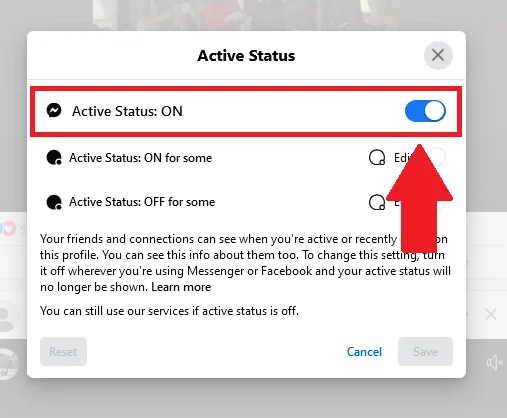
Turning off Active Status on Facebook ensures that others cannot see when you are online or your last active time. This can enhance your privacy and prevent unwanted interruptions. Here’s how you can do it:
- Open your Facebook and go to the messenger.

- Click on tree dots for settings.

- Tap on active status.

- Here you can turn it of or limit your active status and then save it.
On mobile
On Facebook App:
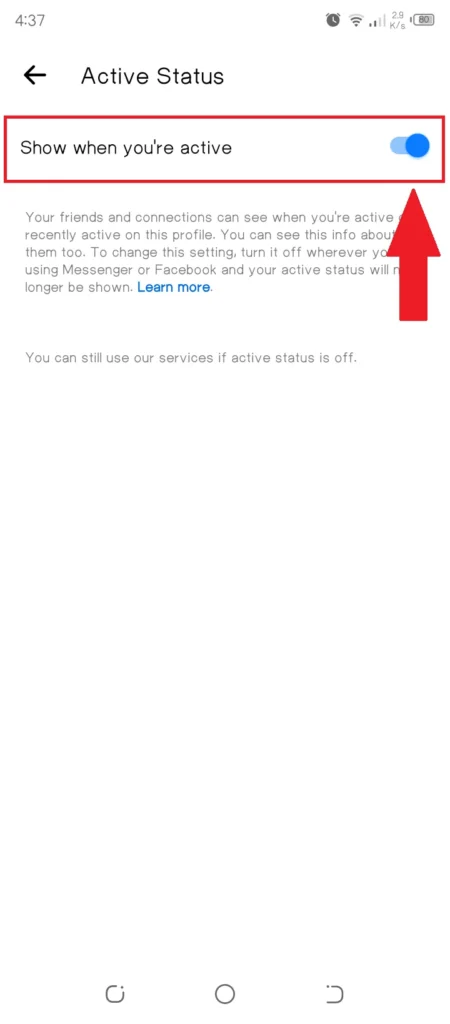
- Open your Facebook app on your mobile. Go to the three lines of menu and then settings.

- Scroll down and find active status.

- Turn off active status.
On Facebook Messenger:
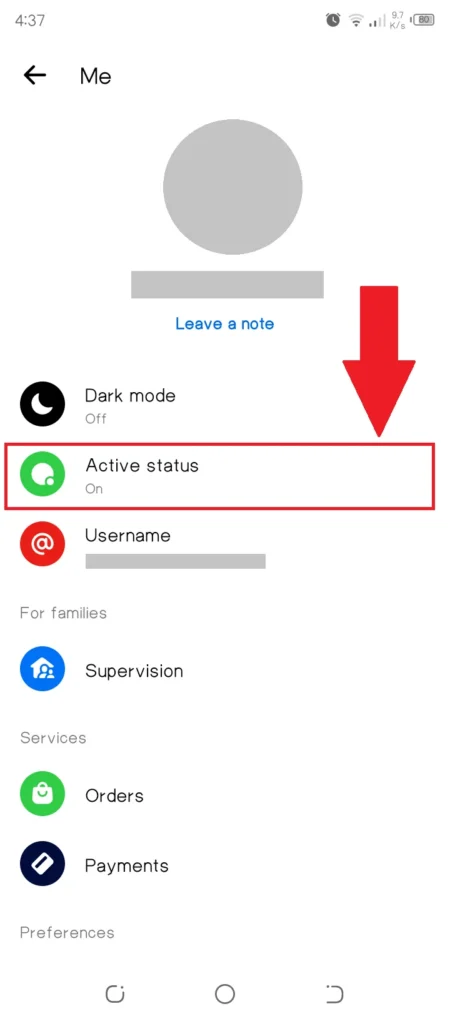
- Open your messenger App on your mobile. Click on three lines.

- Tap on the settings icon.

- Select Active status.
- Here you can turn off the active status.

What Happens When You Turn Off Activity Status?
When you turn off your activity status on Facebook or Messenger, others can no longer see when you are online or your last active time. This applies to all users, including friends and connections, offering you greater privacy. However, the change is mutual—while your status is hidden from others, you also lose the ability to view their activity status. This setting must be adjusted separately for each device you use and does not affect your ability to send or receive messages. Turning off activity status is a discreet way to use the platform without broadcasting your availability.
Conclusion
Disabling your activity status on Facebook provides the result of enhanced privacy and greater control over your online visibility. Once turned off, others cannot see when you are online or last active, allowing you to browse and interact discreetly. This simple adjustment ensures a more personalized and comfortable social media experience, empowering you to manage your digital boundaries effectively while maintaining the freedom to engage on your own terms.