

A Houzz account allows users to explore and share home design ideas, connect with professionals, shop for home products, and manage renovation projects. However, some users may decide to delete their Houzz account due to privacy concerns, a change in personal needs, or simply to reduce their online presence. This blog offers a clear overview of what a Houzz account entails and provides step-by-step guidance on how to delete it, making the process easier for those seeking to permanently close their account. By explaining the background and purpose behind deleting a Houzz account, this blog helps readers make informed decisions while saving time and avoiding confusion.
Things To Consider Before Deleting Your Houzz Account
Here are some important things to consider before deleting your Houzz account:
- Loss of Saved Projects and Ideas: Deleting your account will permanently remove all your saved idea books, photos, and project plans. If you’ve collected inspiration or documented your renovation journey, be sure to back up anything you want to keep.
- No Access to Purchase History: If you’ve bought items through Houzz, deleting your account will erase your purchase history and receipts. This could make returns, refunds, or warranty claims difficult in the future.
- Professional Profile Removal (For Pros): If you’re a professional using Houzz to showcase your services, deleting your account will remove your business profile, reviews, and client connections. This could impact your visibility and credibility in the industry.
- Communication Loss: All messages and contacts with professionals, designers, or clients will be deleted. If you’re working on an ongoing project, make sure to finalize communications outside of the platform.
- Reactivation is Not Possible: Once deleted, your account cannot be reactivated. You would need to create a new account and start over if you change your mind later.
- Check for Subscriptions: If you have any active subscriptions or paid services through Houzz (like Houzz Pro), make sure to cancel those first to avoid being billed after account deletion.
What Happens When I Delete My Account?
When you delete your Houzz account, several permanent changes take place:
- All Personal Data is Erased: Your profile, including your name, email, photos, idea books, and any personal preferences, will be permanently removed from the Houzz platform.
- Loss of Saved Content: Any idea books, project plans, saved photos, and product favorites will be deleted and cannot be recovered.
- Professional Profile is Removed: If you’re a professional using Houzz Pro, your business profile, client reviews, project listings, and any marketing content will be completely removed from public view.
- Messages and Communication Deleted: All conversations with other users or professionals through Houzz messaging will be erased.
- Order History is Lost: You will lose access to any purchase history, invoices, and order details. Make sure to save any receipts or order confirmations before deletion.
- No Access to Account or Login: Once deleted, your login credentials will no longer work, and you won’t be able to sign back in or reactivate the same account.
Follow Step-By-Step Process To Delete Houzz Account
You can simply delete your Houzz account by following these steps:
From Desktop
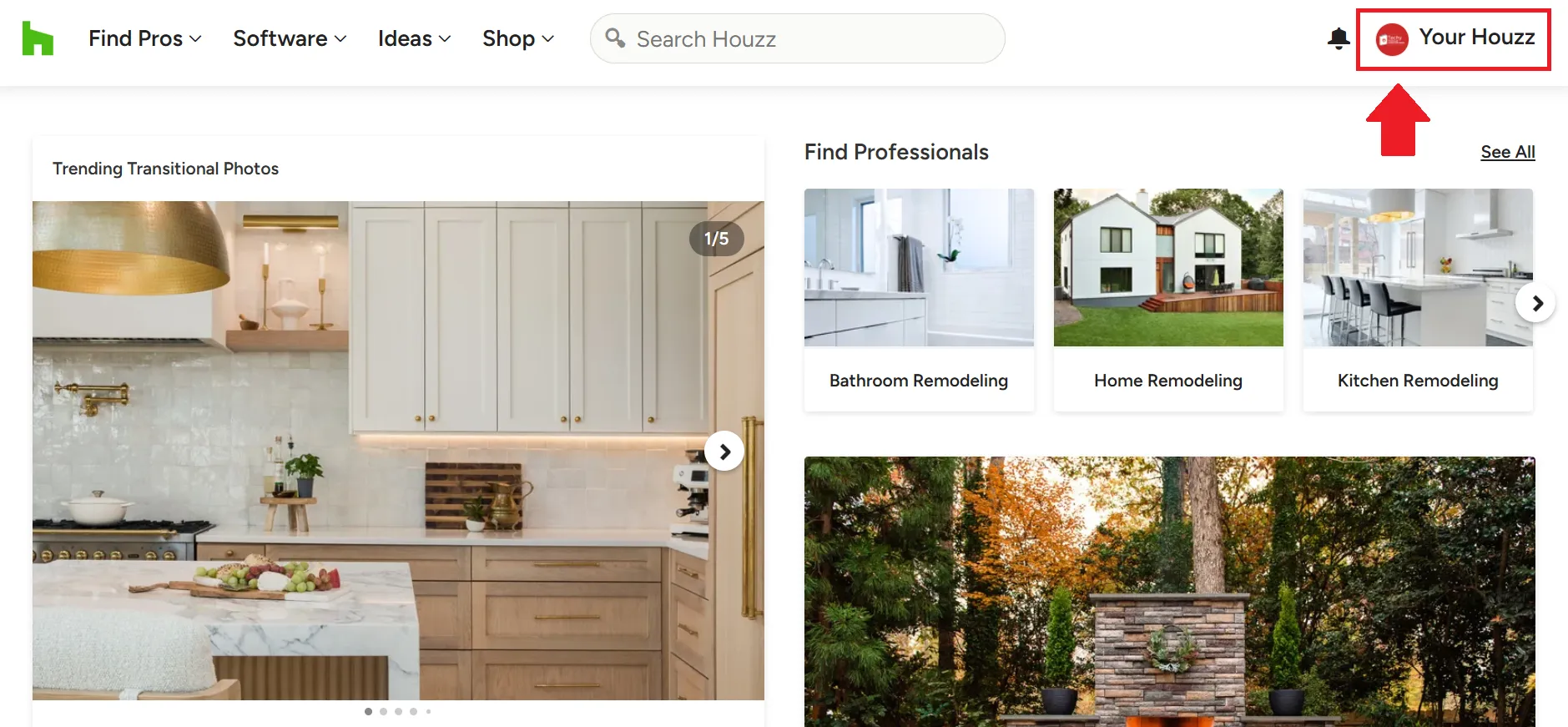
- Click on the profile icon in the top right corner of the page.
-
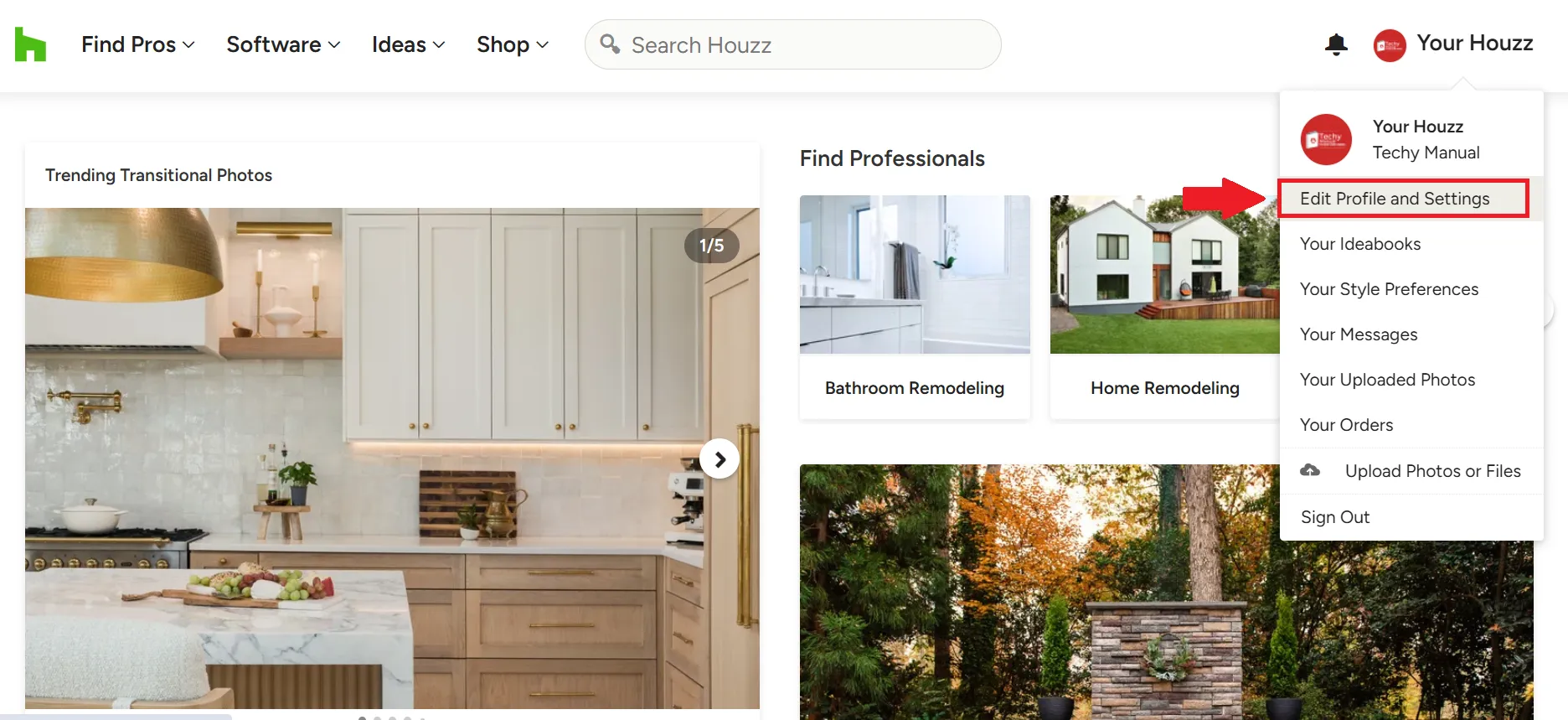
Then click on the “Edit Profile and Settings” option.
-
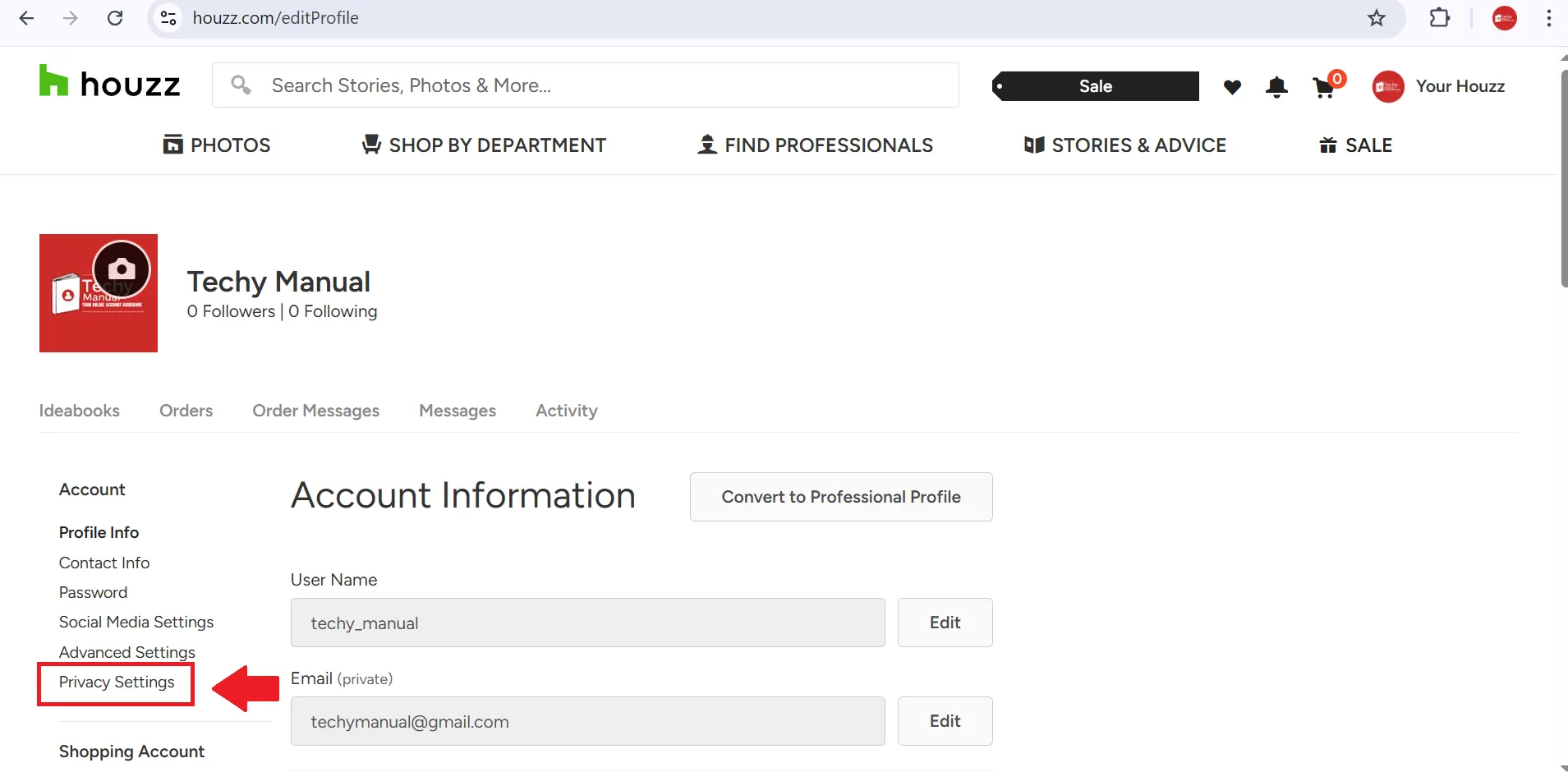
Once you land on the Edit Profile and Settings page, click on the Privacy Settings option from the left sidebar.
-
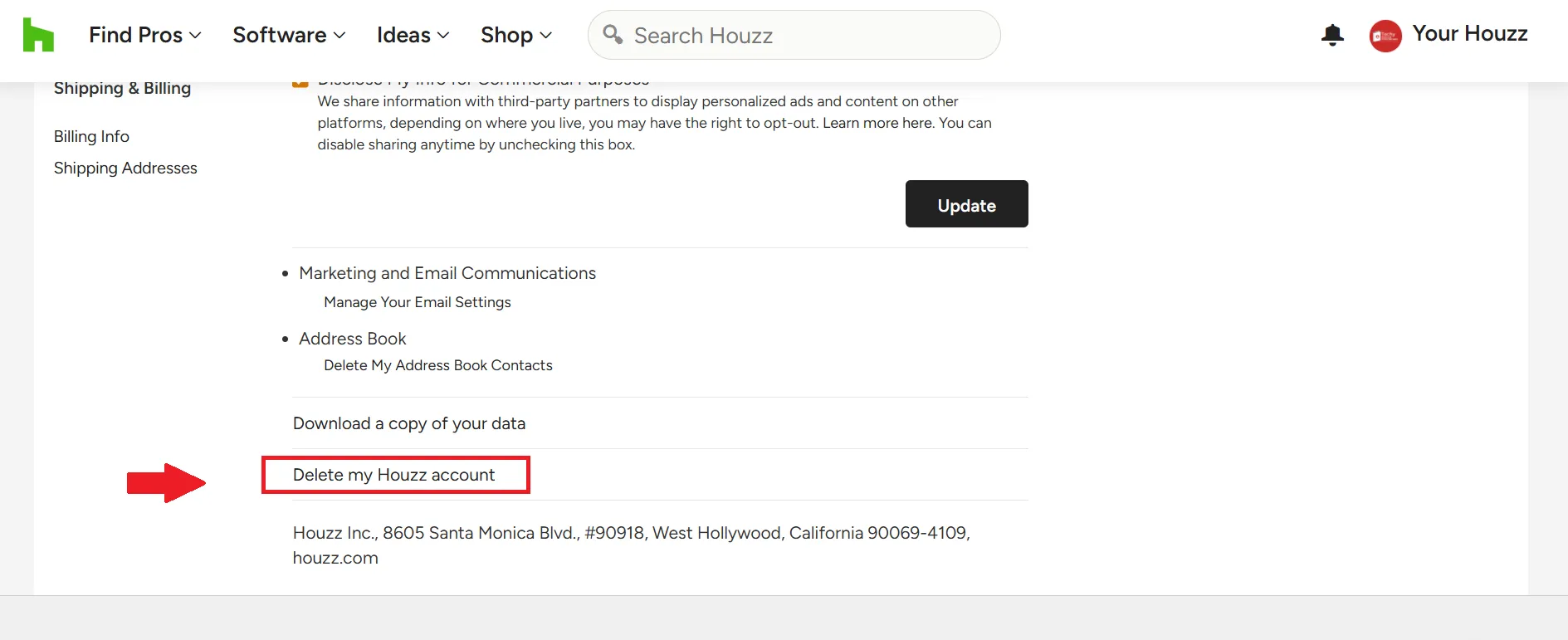
There you will find the Delete Account option. Simply click on it.
-
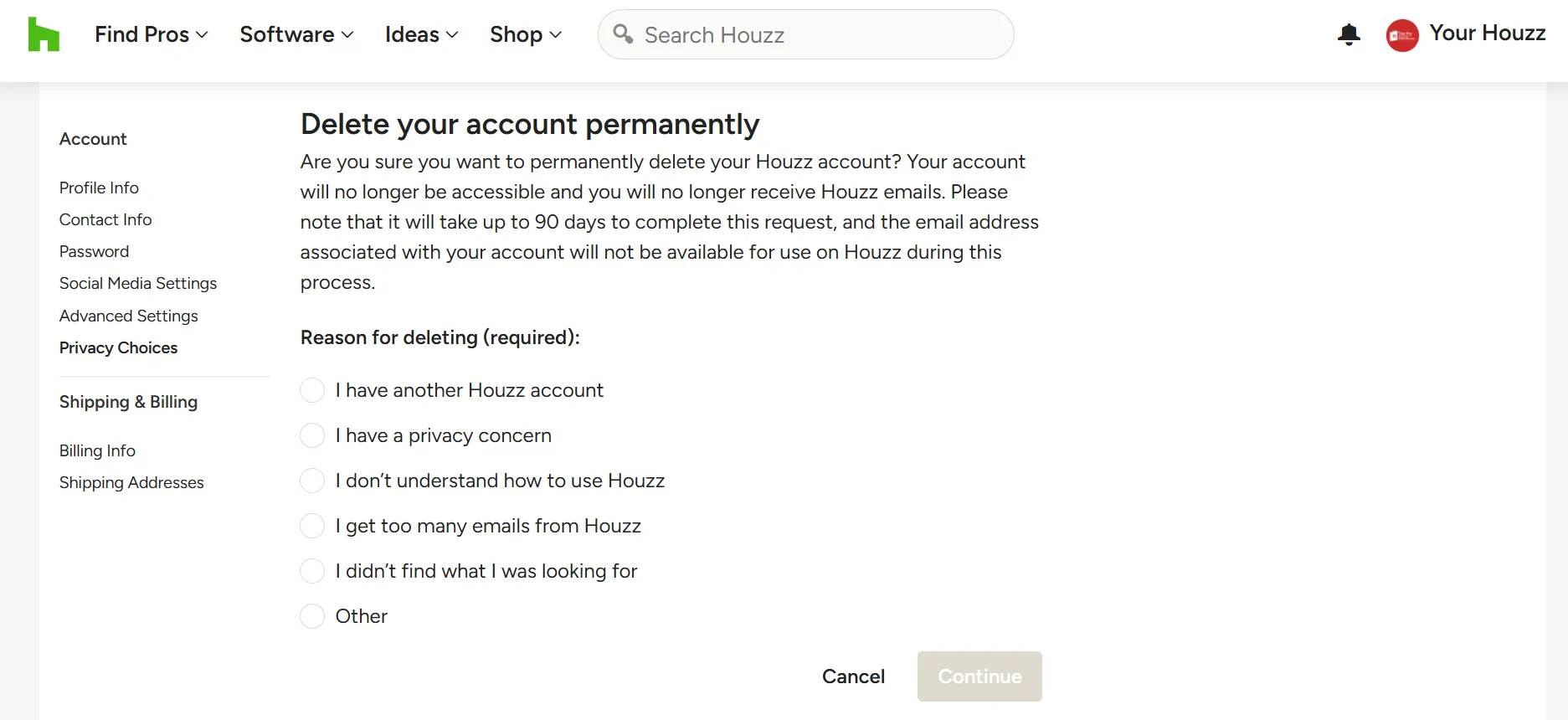
You will be asked to provide a reason for deleting your Houzz account.
-
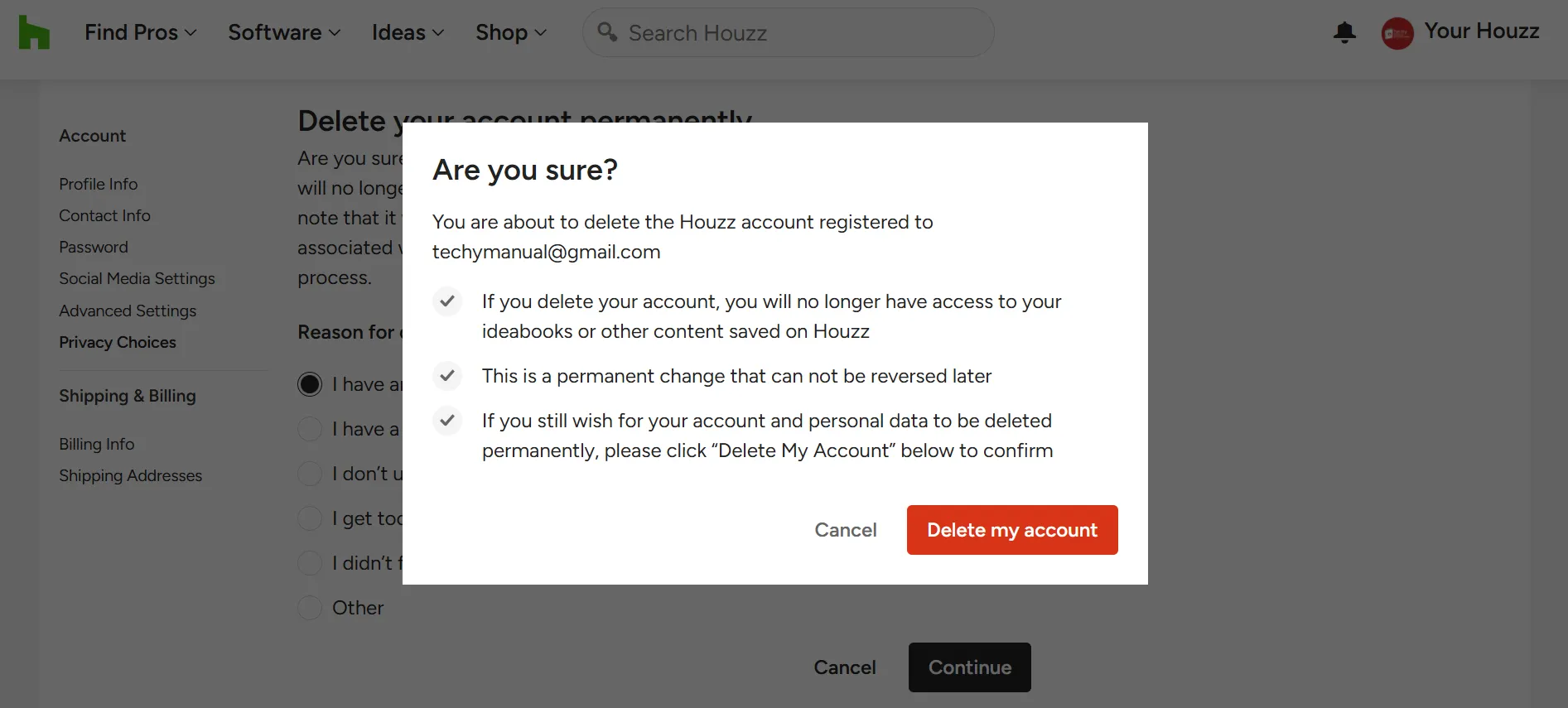
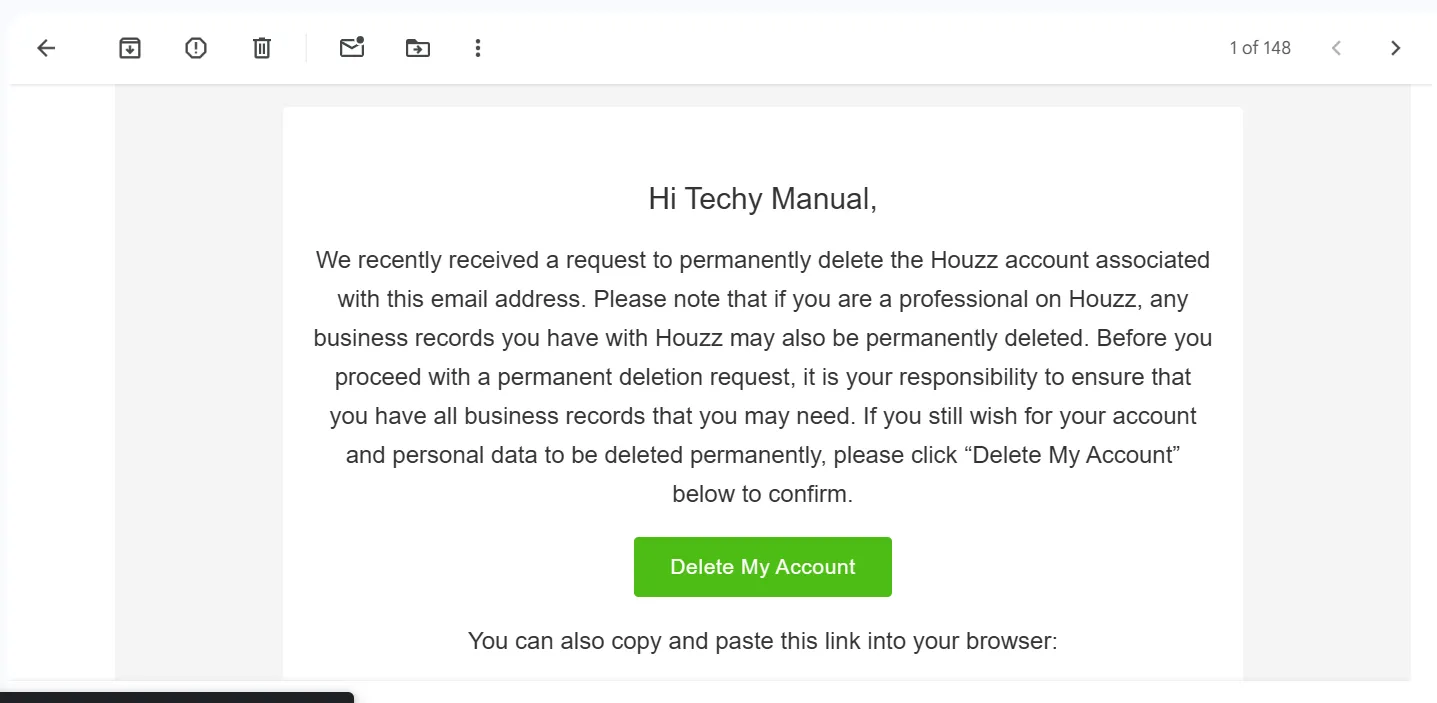
After completing that step, you will be asked again to confirm your decision to delete the account.
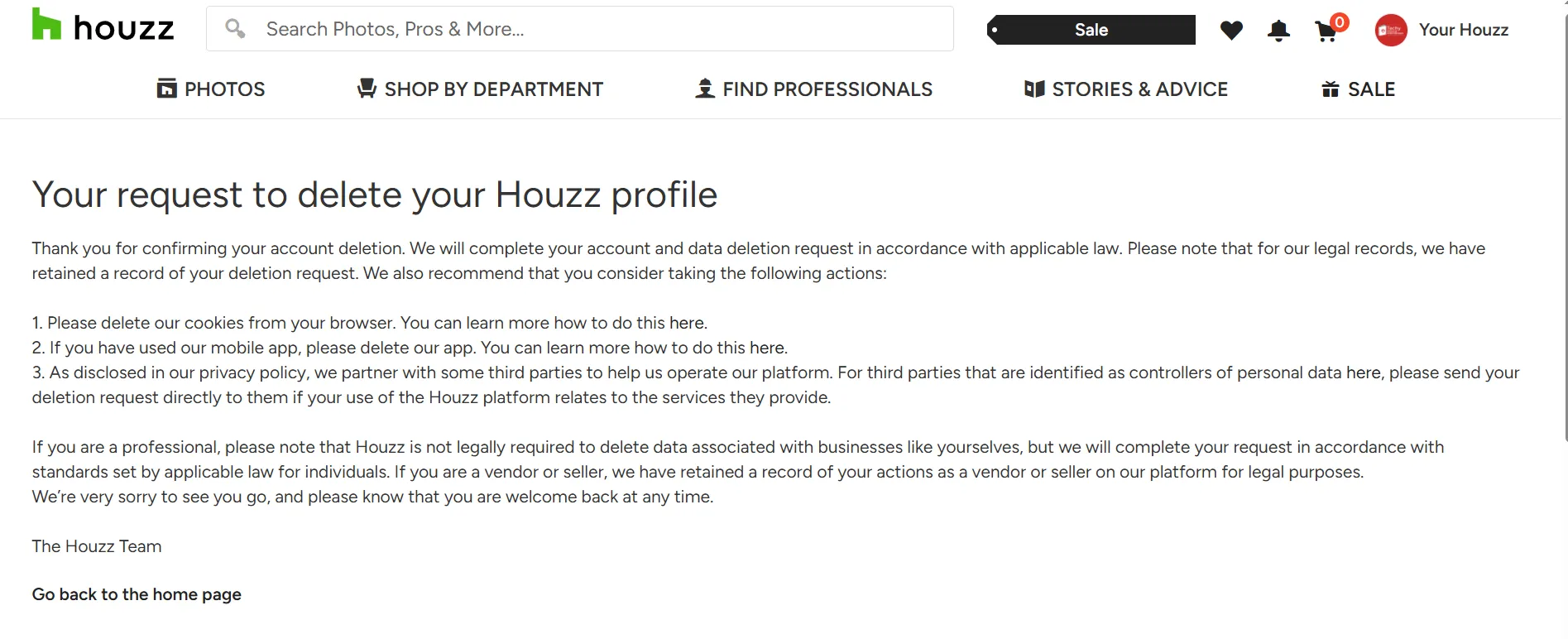
From Mobile App:
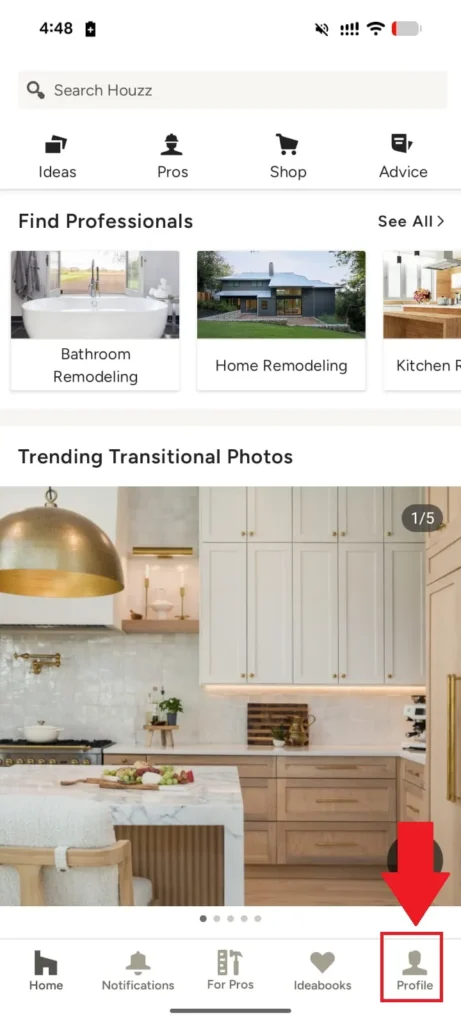
- Click on the profile icon at the bottom right corner.
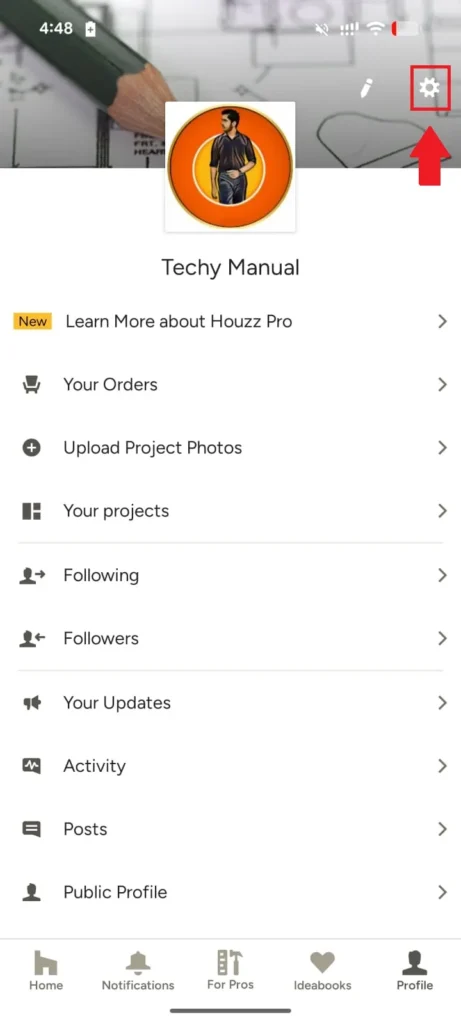
- Then click on the settings gear icon at the top right corner.
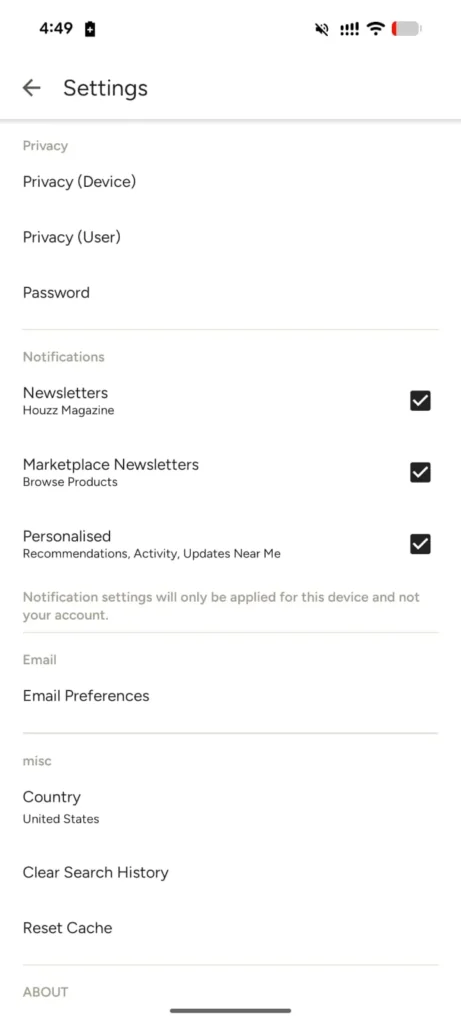
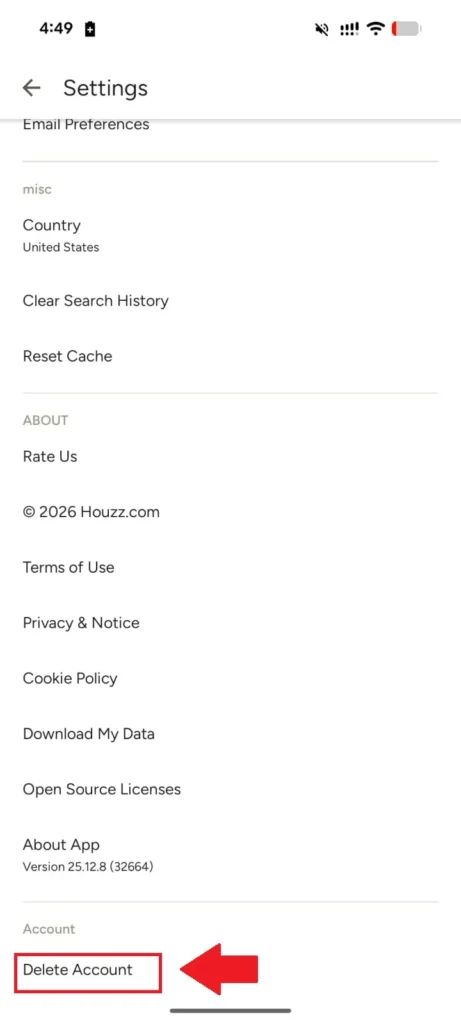
- On the settings page, scroll to the bottom and you will find the “Delete Account” option.
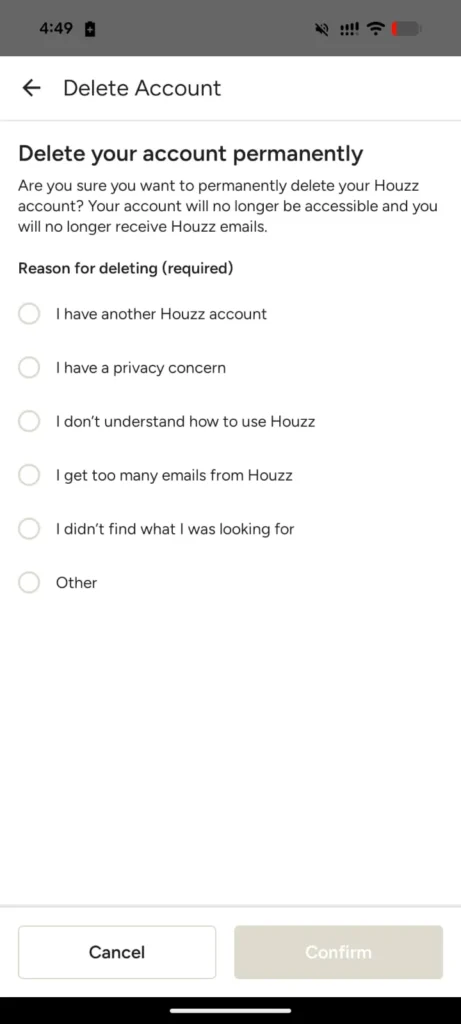
- Once you click on it, you will be asked to provide a reason for deleting your Houzz account.
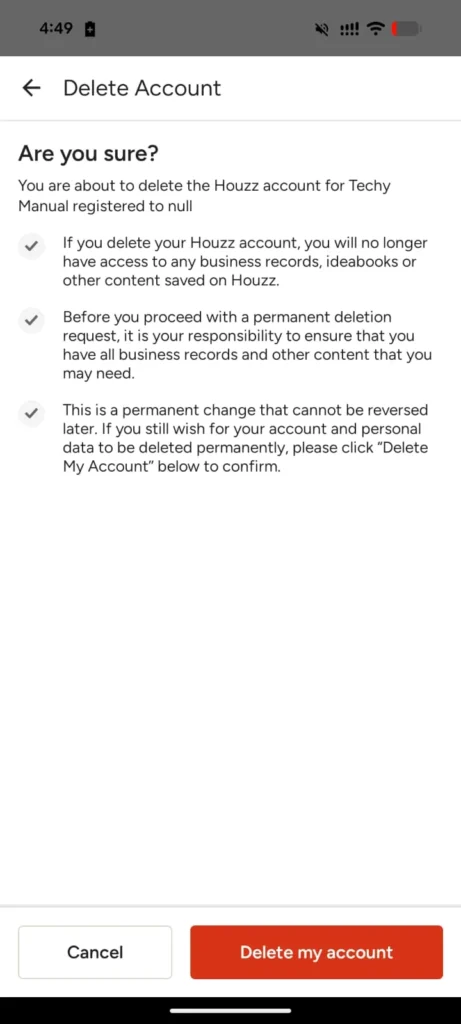
- Then it will ask you to confirm your decision.
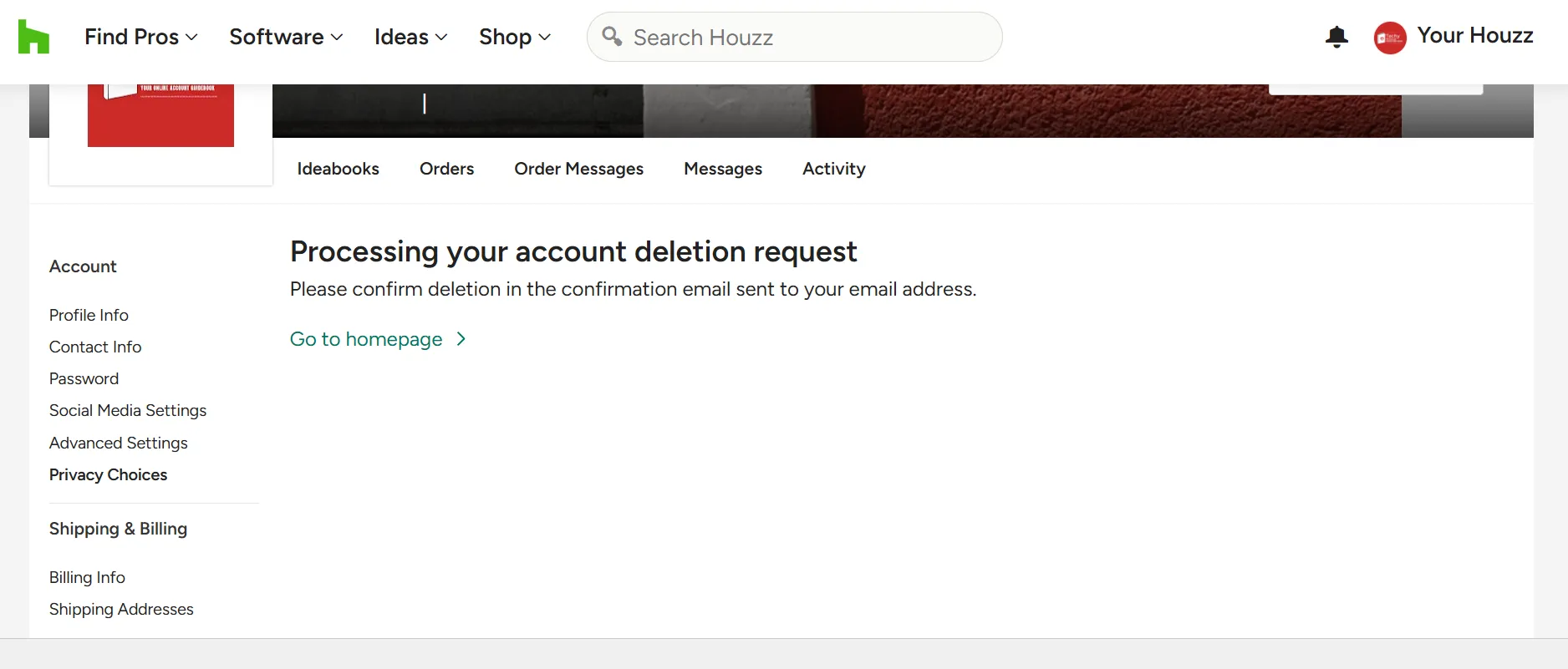
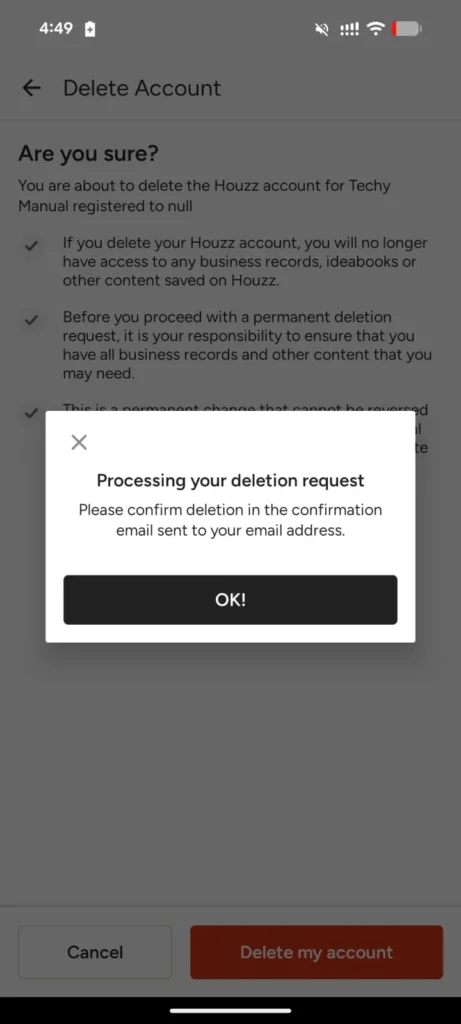
- After you confirm, your account deletion request will be processed by their support team.
Alternative Ways To Delete Houzz Account
If you are unable to delete your Houzz account through the account settings, you can contact Houzz support for assistance. You can call their support number at (833) 452-3779 or submit a support request through their help page at https://help.houzz.com/s/contactsupport. Simply explain that you would like to permanently delete your Houzz account and provide the email address associated with the account. The support team will review your request and guide you through the process or complete the deletion for you if needed.
Deactivate Houzz Account
Houzz does not provide an option to deactivate your account temporarily. Unlike some platforms that allow users to pause their accounts with the possibility of returning later, Houzz only offers the option to permanently delete your account.
Restore Account Incase Of Change Of Mind
Houzz does not allow account restoration if you change your mind after deletion. Once your account is permanently deleted, all data—such as your profile, saved content, messages, and purchase history—is erased and cannot be recovered. This action is irreversible, so it’s important to be certain before proceeding. If you’re unsure, consider holding off on deletion or exploring less permanent options like logging out or disabling email notification
Conclusion
Deleting your Houzz account is a permanent decision that removes all your personal data, saved projects, messages, and purchase history from the platform. Whether you’re stepping away for privacy reasons, no longer using the service, or handling a loved one’s digital presence, it’s important to understand that Houzz does not offer temporary deactivation or account restoration once deleted. Be sure to back up any important information before proceeding. This guide has aimed to simplify the process and help you make an informed, thoughtful choice regarding your Houzz account.