
Binance is one of the world’s largest and most popular cryptocurrency exchanges, offering a wide range of digital assets for trading, investment, and financial services. Launched in 2017 by Changpeng Zhao,With features like spot trading, futures, staking, and its own blockchain ecosystem (BNB Chain), Binance has become a go-to hub for crypto enthusiasts around the globe. However, there may come a time when users wish to step away from crypto or switch platforms—and that’s where account deletion becomes relevant. Whether due to security concerns, regulatory reasons, or simply changing interests, deleting your Binance account can be a practical decision. In this blog, we’ll guide you through everything you need to know about Binance, its background, and most importantly, how to permanently delete your Binance account. This Techy Manual‘s guide is designed to help you make informed decisions about your digital presence and ensure that your data and funds are managed responsibly.
Things To Consider Before Deleting Your Binance Account
- Withdraw All Funds: Before you can delete your Binance account, it must have a zero balance. This means you need to move all your cryptocurrencies and fiat (like USD, EUR, etc.) to another wallet or exchange. If any funds remain, Binance won’t let you proceed with the deletion.
- Close Open Orders & Positions: If you’re currently involved in trading (spot, margin, or futures), make sure to cancel all open orders and close your positions. Leaving anything open may result in unexpected losses or delays in the account closure.
- Download Transaction History: Once your account is deleted, you will lose access to all records. If you need proof of your trades, deposits, or withdrawals for tax purposes or personal records, download them before deletion.
- Pending Transactions: Make sure all your withdrawals and transfers have been fully processed. Binance will not allow deletion if there are any transactions still pending on the network.
- Consider Temporary Deactivation: If you’re not sure about deleting your account forever, Binance gives you an option to deactivate it temporarily. This can be a safer choice if you just want a break or need to secure your account from unauthorized access.
- Understand It’s Permanent: Deleting your Binance account is a final step—you won’t be able to recover any data or reopen the same account later. Be absolutely certain before proceeding.
- Unlink Third-party Services: If you’ve linked your Binance account with third-party wallets, bots, or apps (like trading bots or portfolio trackers), make sure to disconnect them first to avoid errors or data breaches later.
- Clear Any Sub-Accounts: If your main Binance account has sub-accounts (common in corporate or advanced user setups), those must be closed before the main account can be deleted.
- Customer Support May Contact You: In some cases, especially if you have high trading volume or security flags, Binance might require identity confirmation or manual review before they allow deletion.
What Happens When I Delete My Account?
- Account Access Is Permanently Revoked: You will no longer be able to log into your account or recover any data associated with it. This includes your profile, balances, settings, and history.
- All Account Data Is Removed: Binance will erase your trading history, personal information, and any associated sub-accounts, in compliance with its data retention and privacy policies. Some data may be retained temporarily to meet legal or regulatory obligations.
- All Balances Must Be Zero: Your account cannot be deleted if it holds any cryptocurrency or fiat balance. Binance requires all funds to be withdrawn before deletion.
- Active Services Are Terminated: All open orders, margin positions, futures contracts, and staking services will be canceled or closed automatically once you start the deletion process.
- Third-party Integrations Are Disabled: Any apps, bots, or APIs connected to your Binance account will stop working immediately after deletion.
- It Cannot Be Undone: Once the deletion is complete, you cannot restore the account. If you wish to use Binance again, you’ll need to create a brand-new account with a different email.
- You May Receive a Final Confirmation Email: Binance may send a confirmation or verification email to ensure it’s really you requesting the deletion.
Follow Step-By-Step Process To Delete Binance Account
On web:
- Log in to your Binance account.
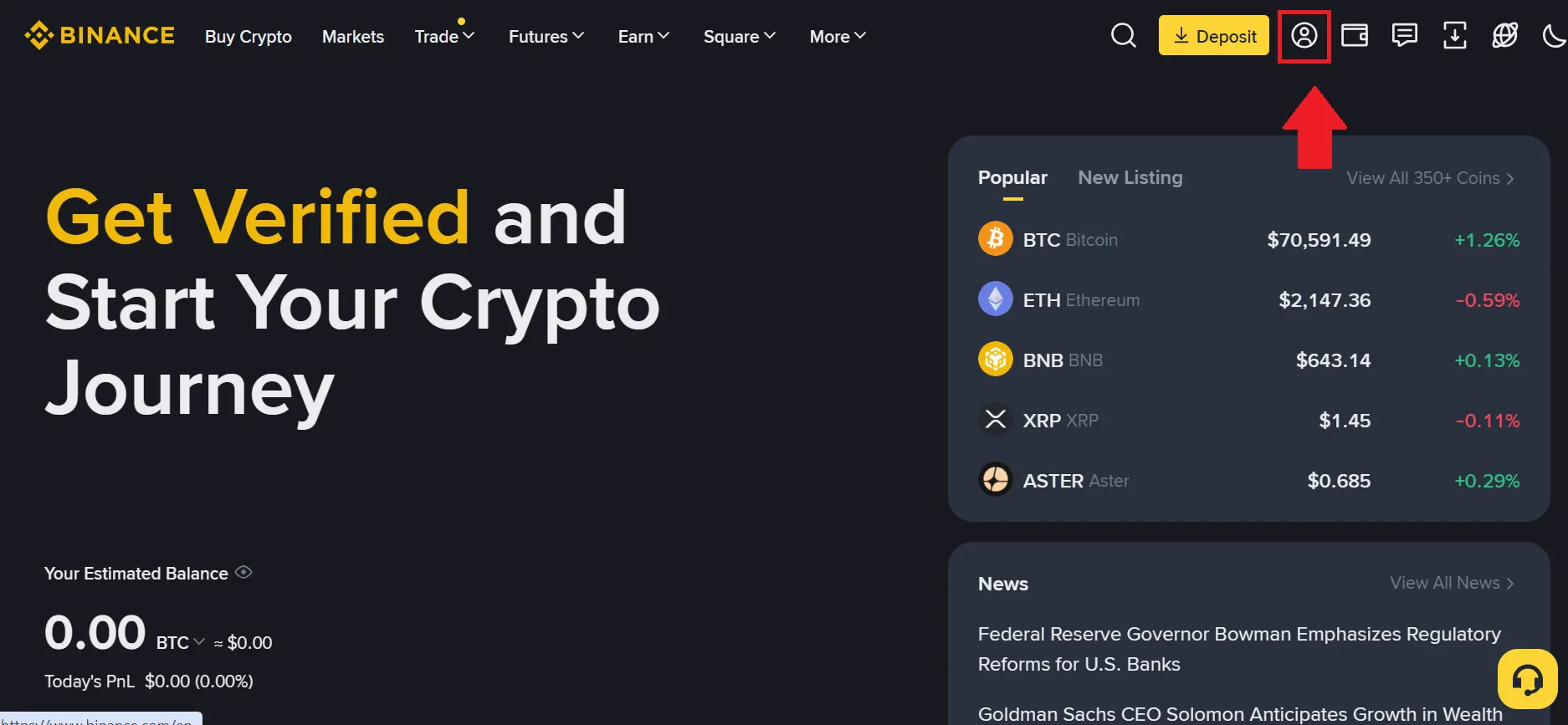
- Click on the profile icon at your top right corner.
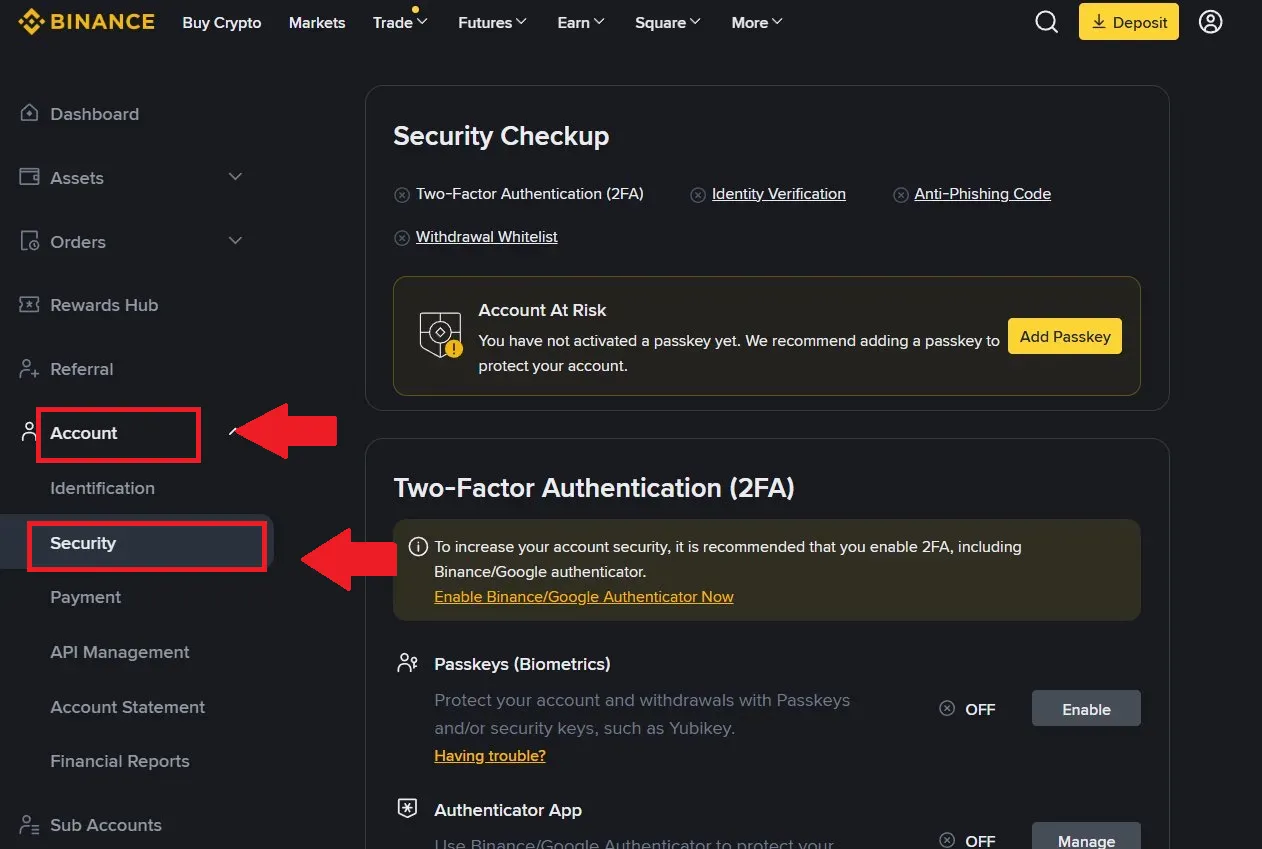
- Now click on the Account>Security option from the left sidebar.
-
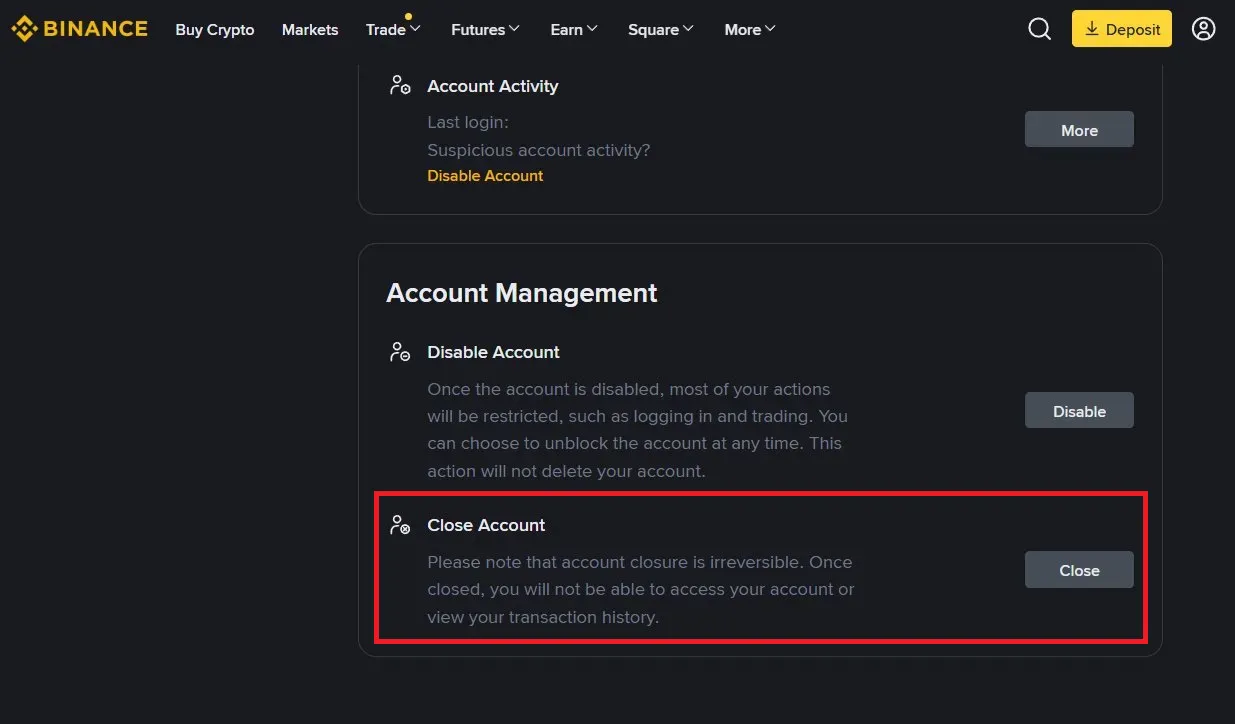
Scroll down to the bottom of the page, where you will find the “Close Account” option.
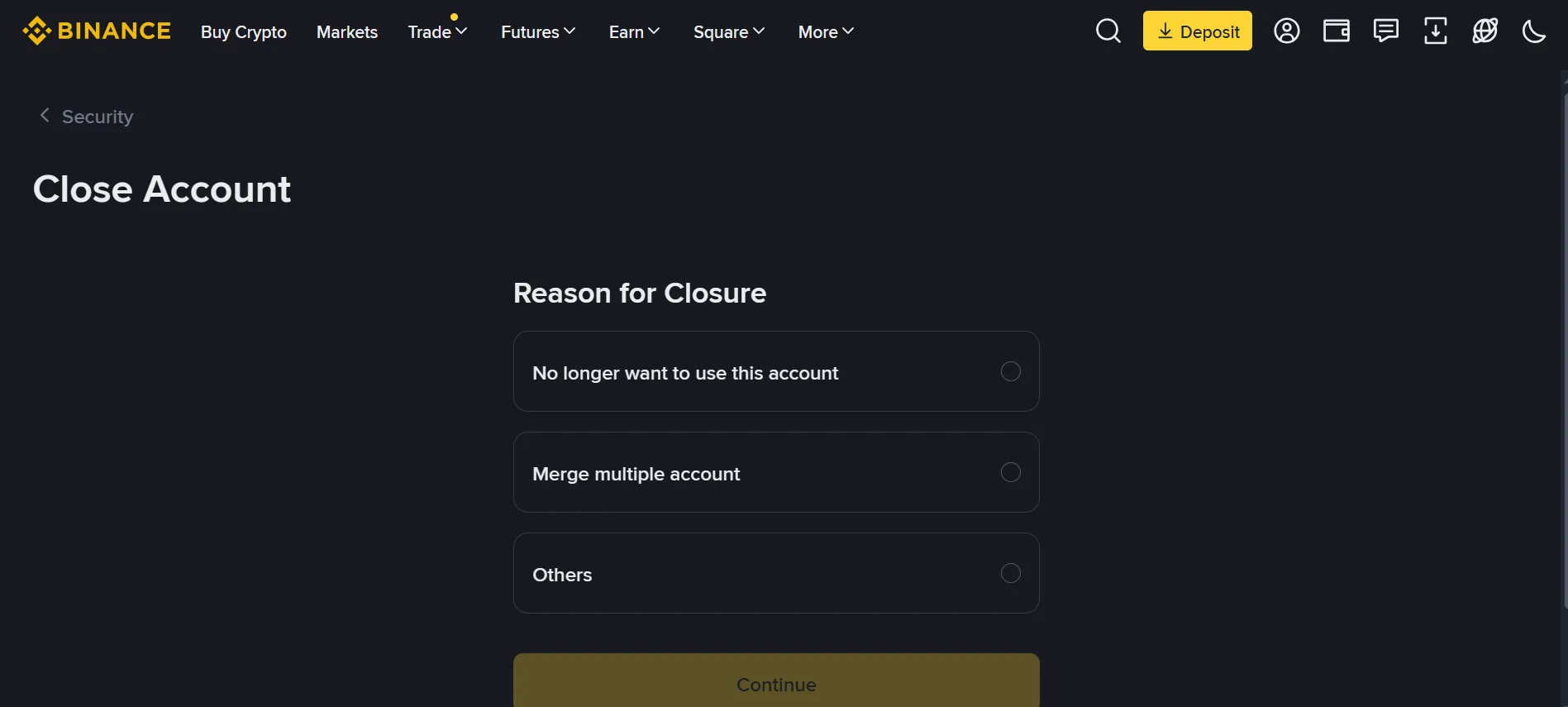
- Where you will be asked to provide a reason for closing your account.
- The system will then inform you about what will happen after your account is deleted.
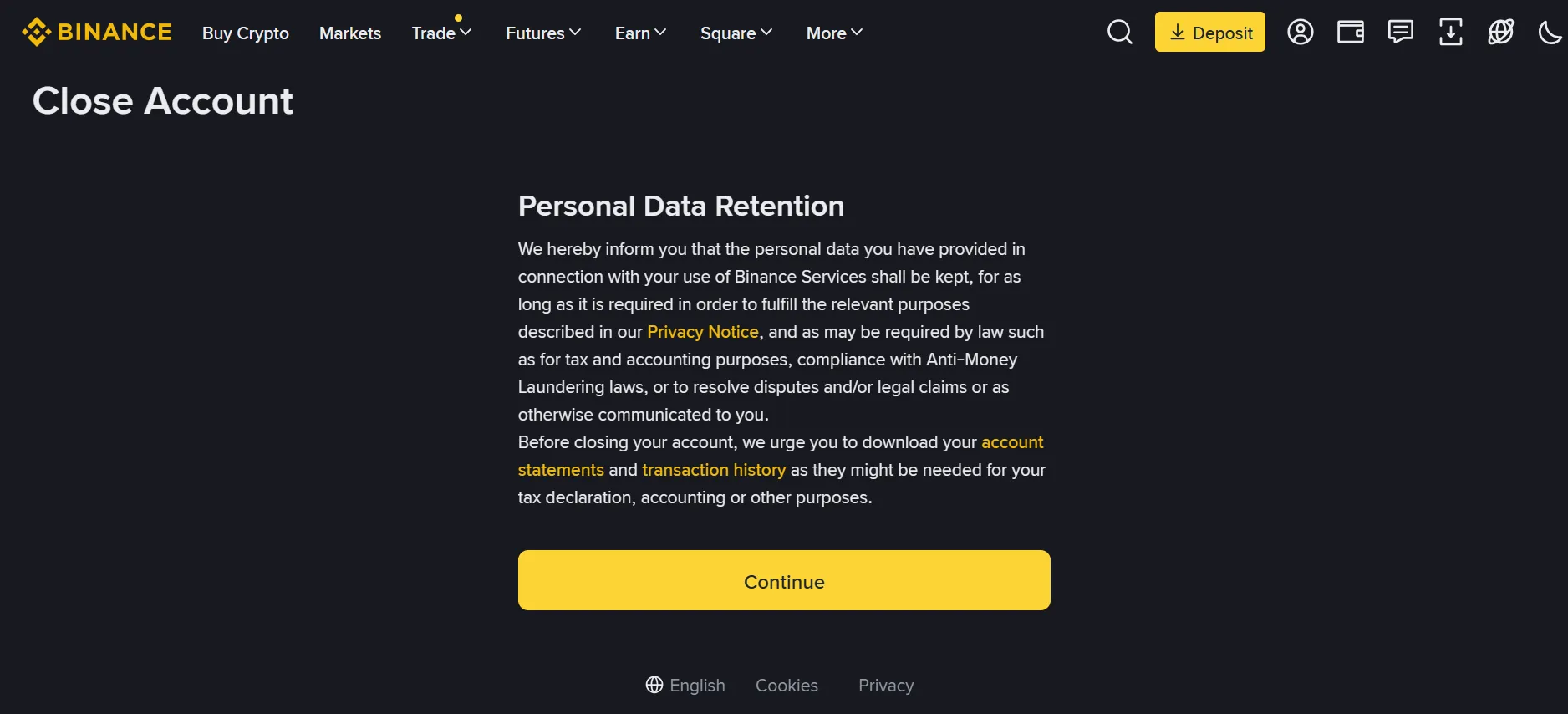
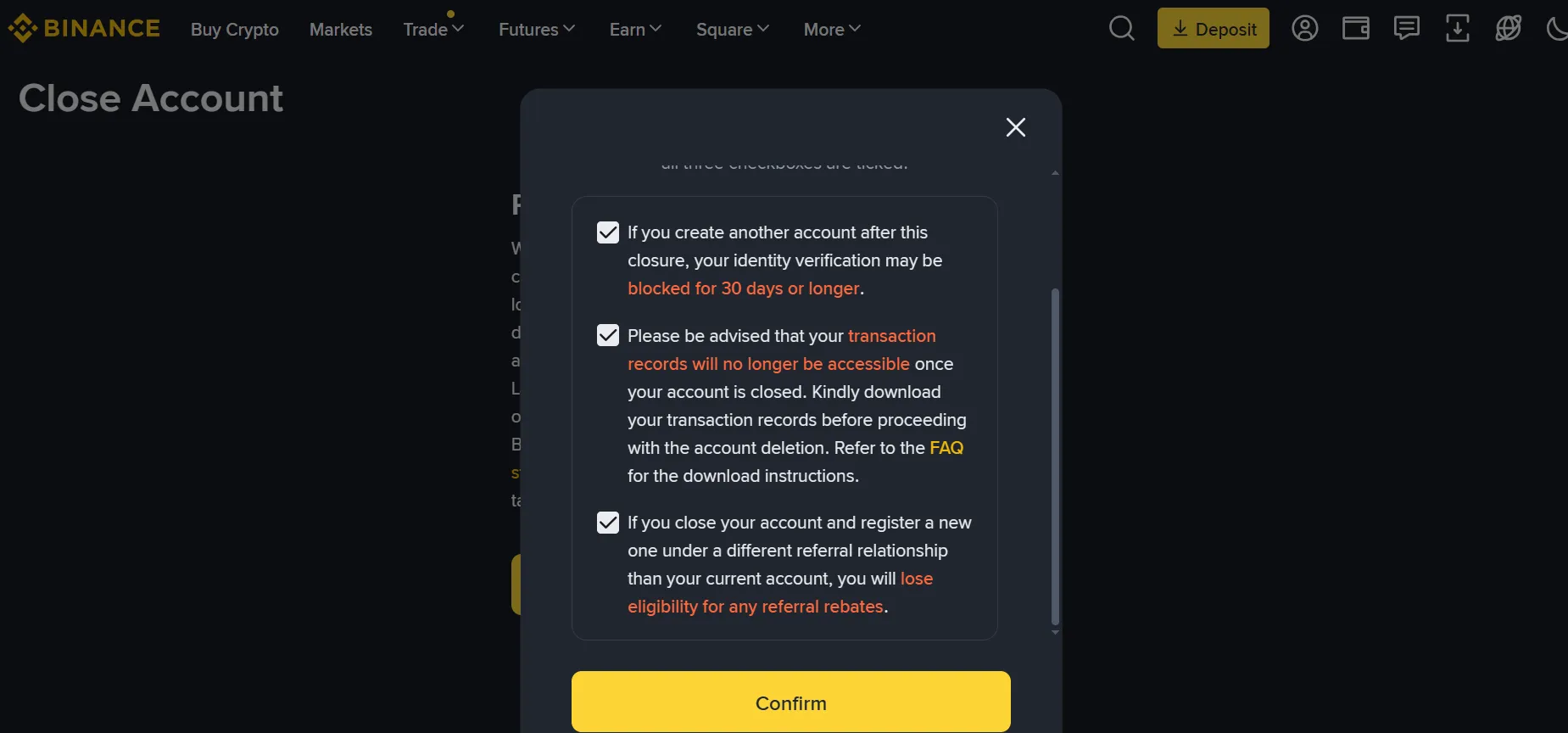
- You will be asked to confirm your decision again and acknowledge the consequences of deleting your account.
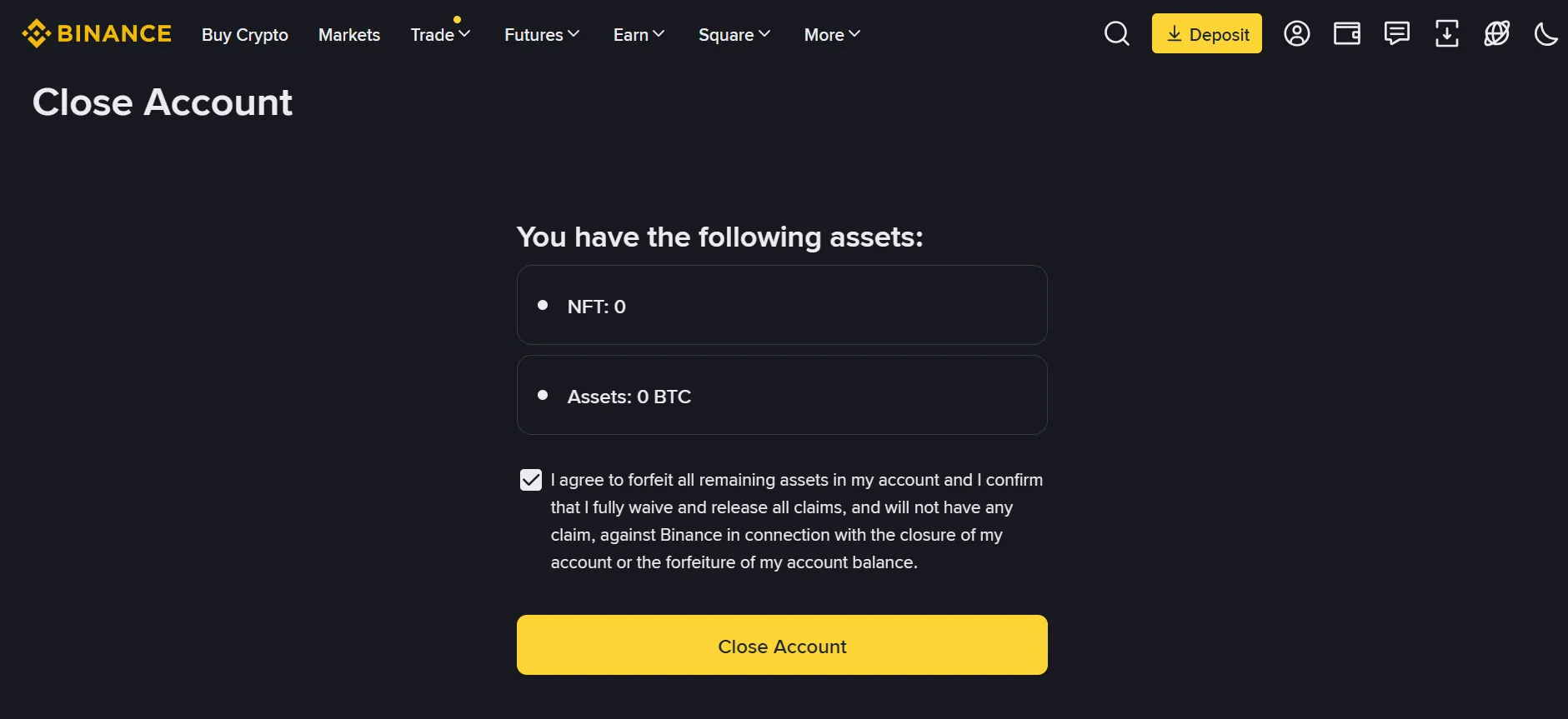
- It will also display any assets currently in your account and ask you to confirm the potential loss before proceeding.
-
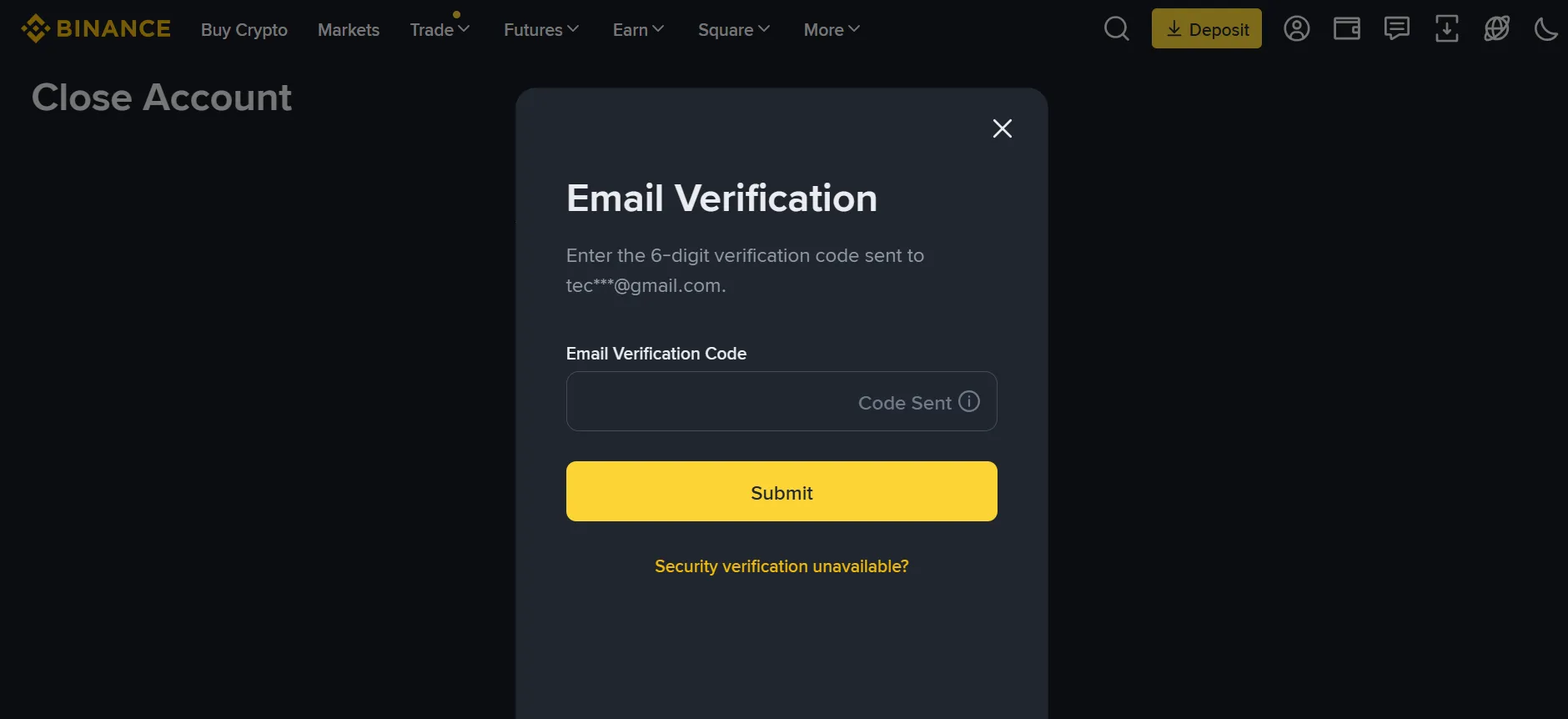
Finally, you will need to verify your request through your email.
On Mobile:
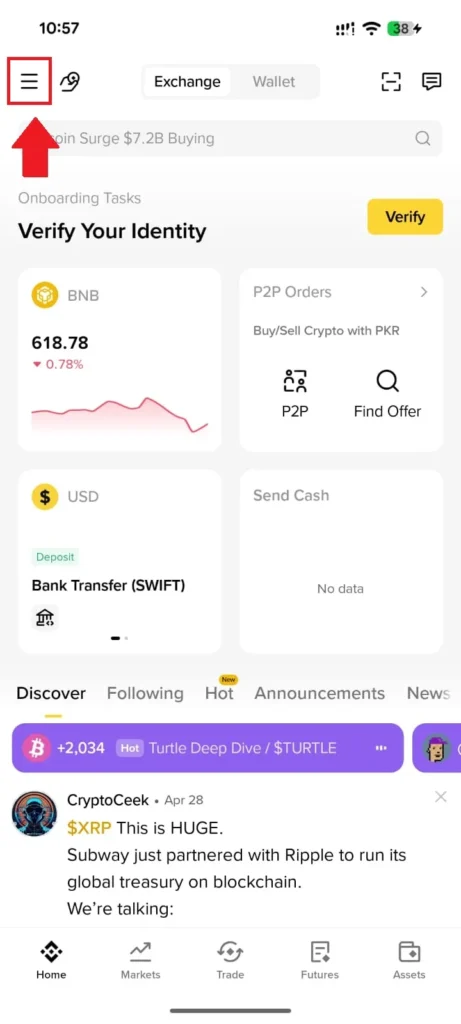
- Open the Menu Tap the hamburger icon (☰) at the top-left of the Binance home screen.
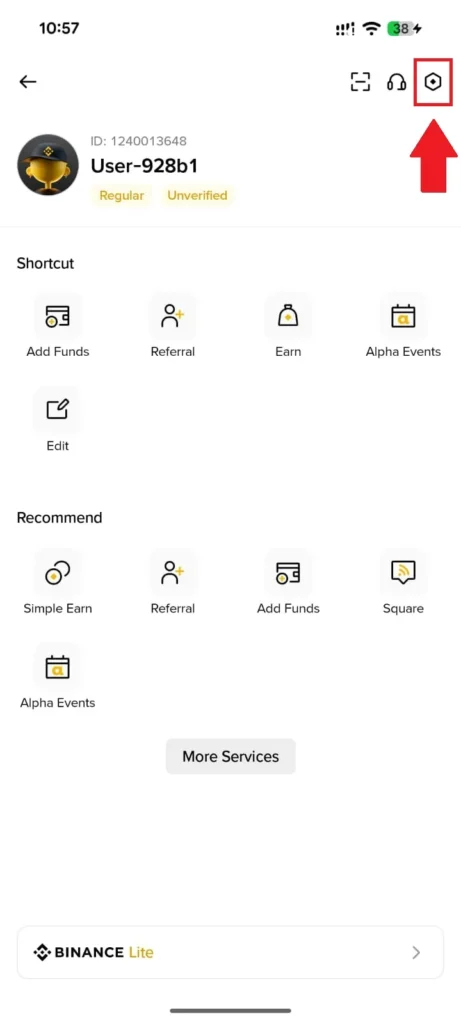
- Tap the shield/security icon at the top-right of your profile page.
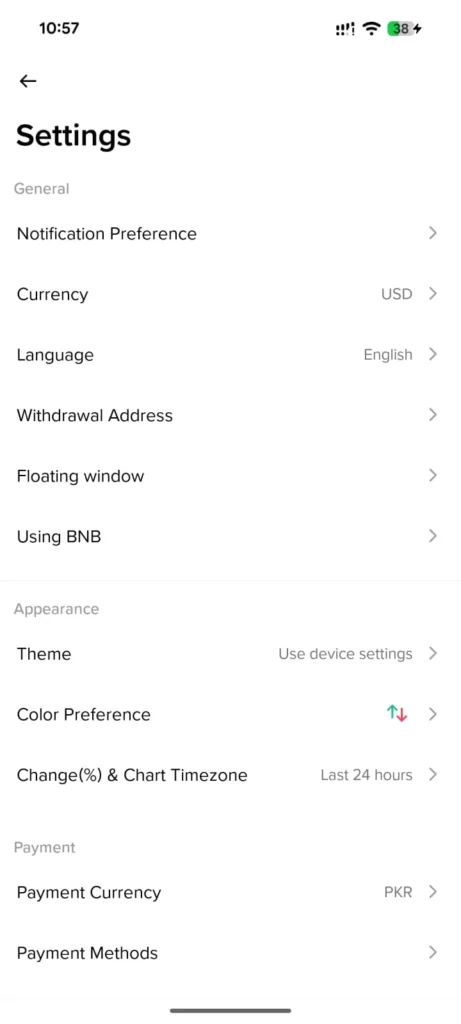
- Open Settings Scroll down to the bottom of Settings and tap Privacy Center.
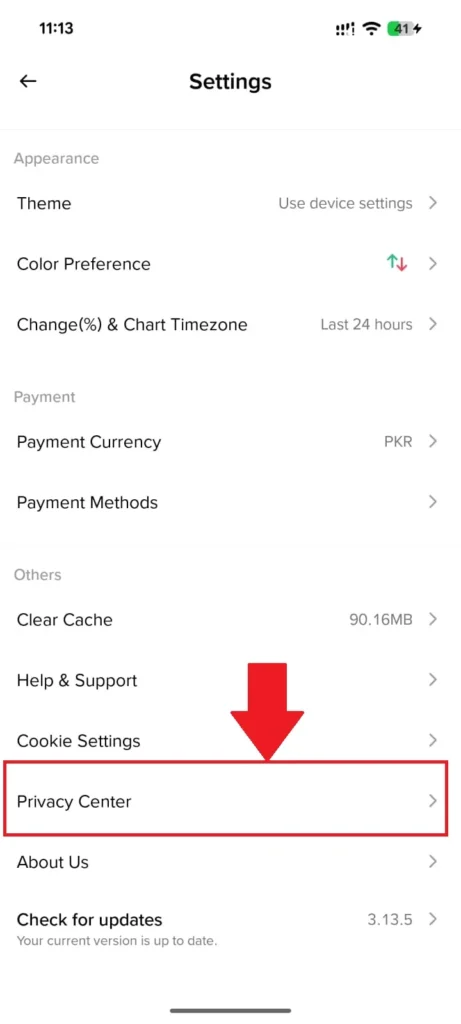
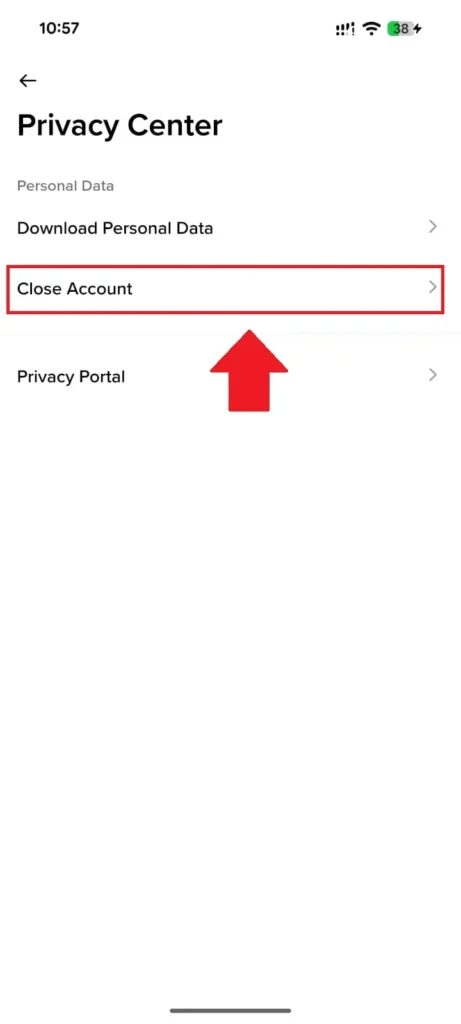
- Select Close Account Inside Privacy Center, tap Close Account under the Personal Data section.
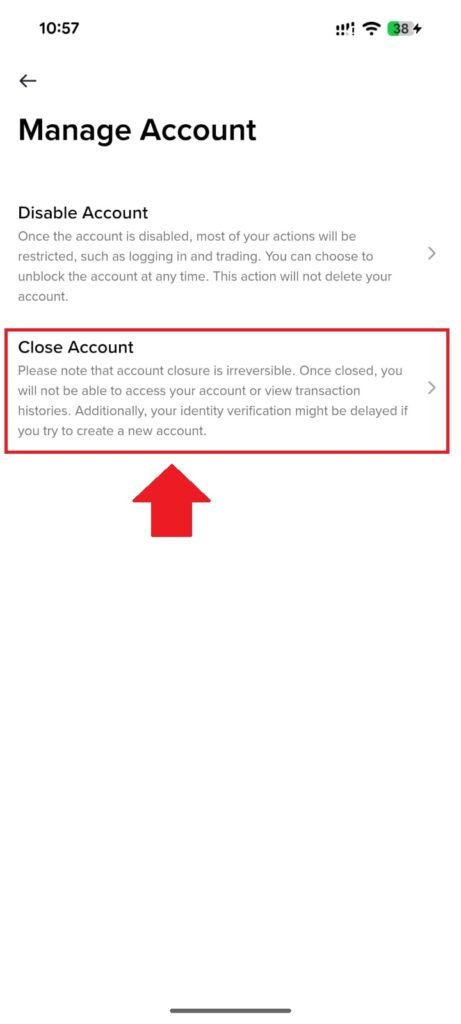
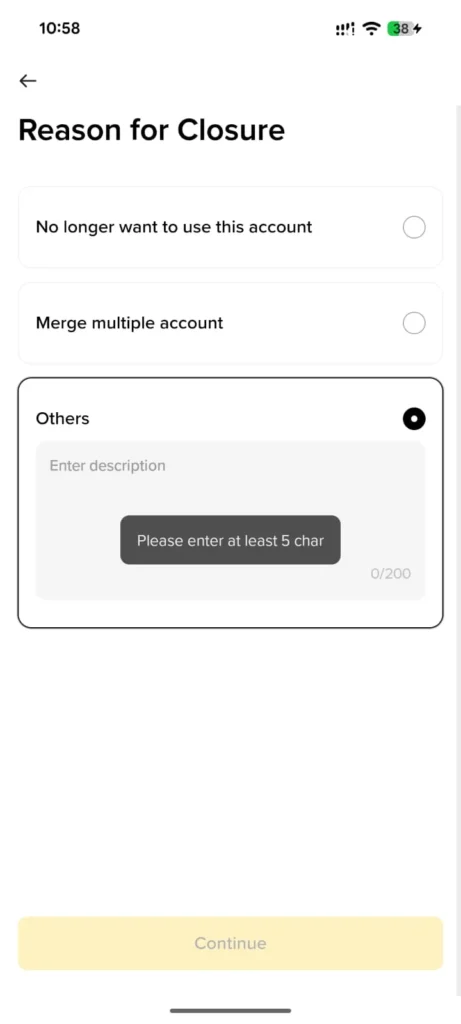
- Select your reason for closure and tap Continue.
- Read the Personal Data Retention notice and tap Continue.
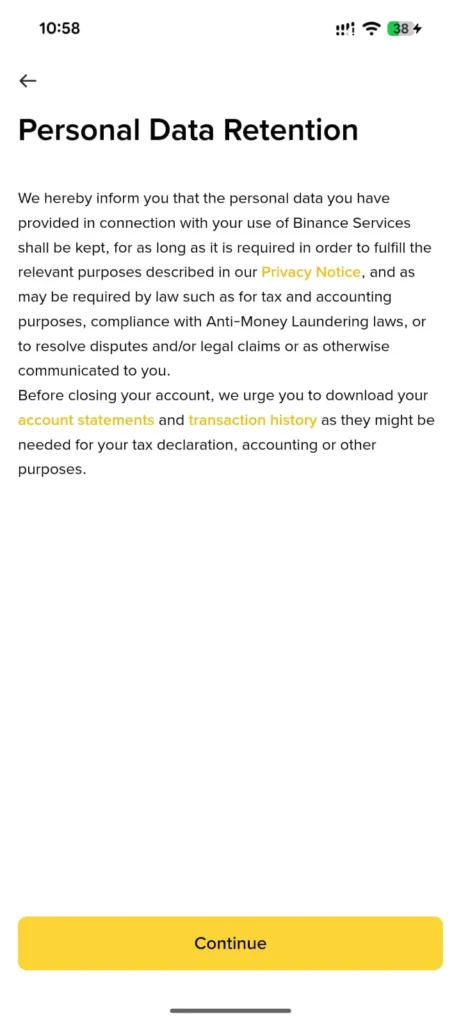
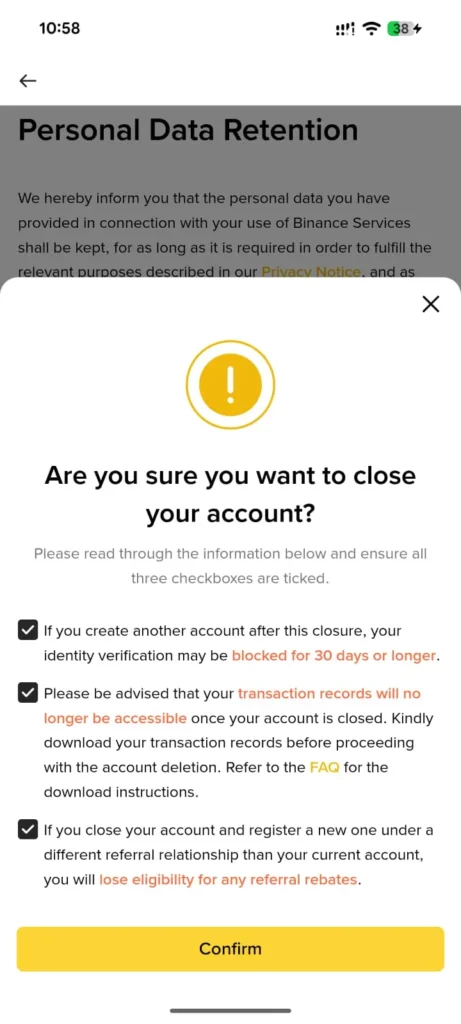
- Tick all three checkboxes in the confirmation popup and tap Confirm.
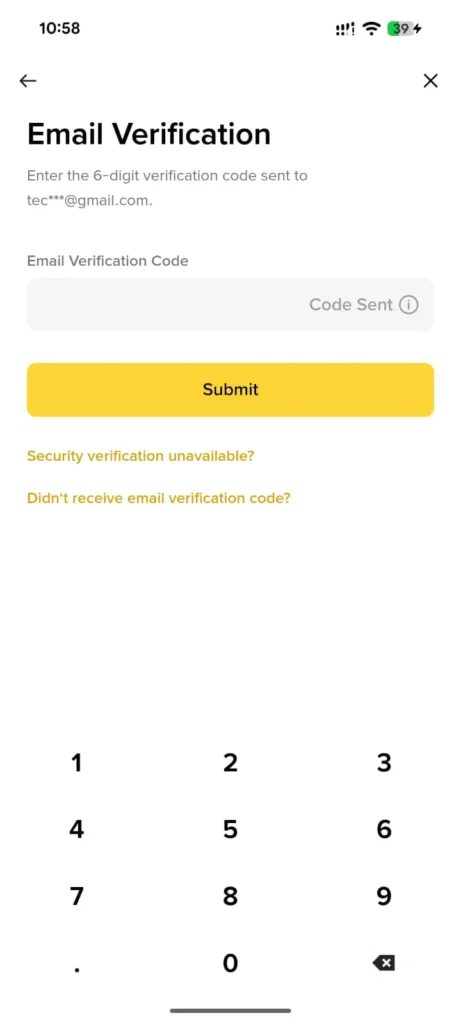
- Enter the 6-digit email verification code and tap Submit.
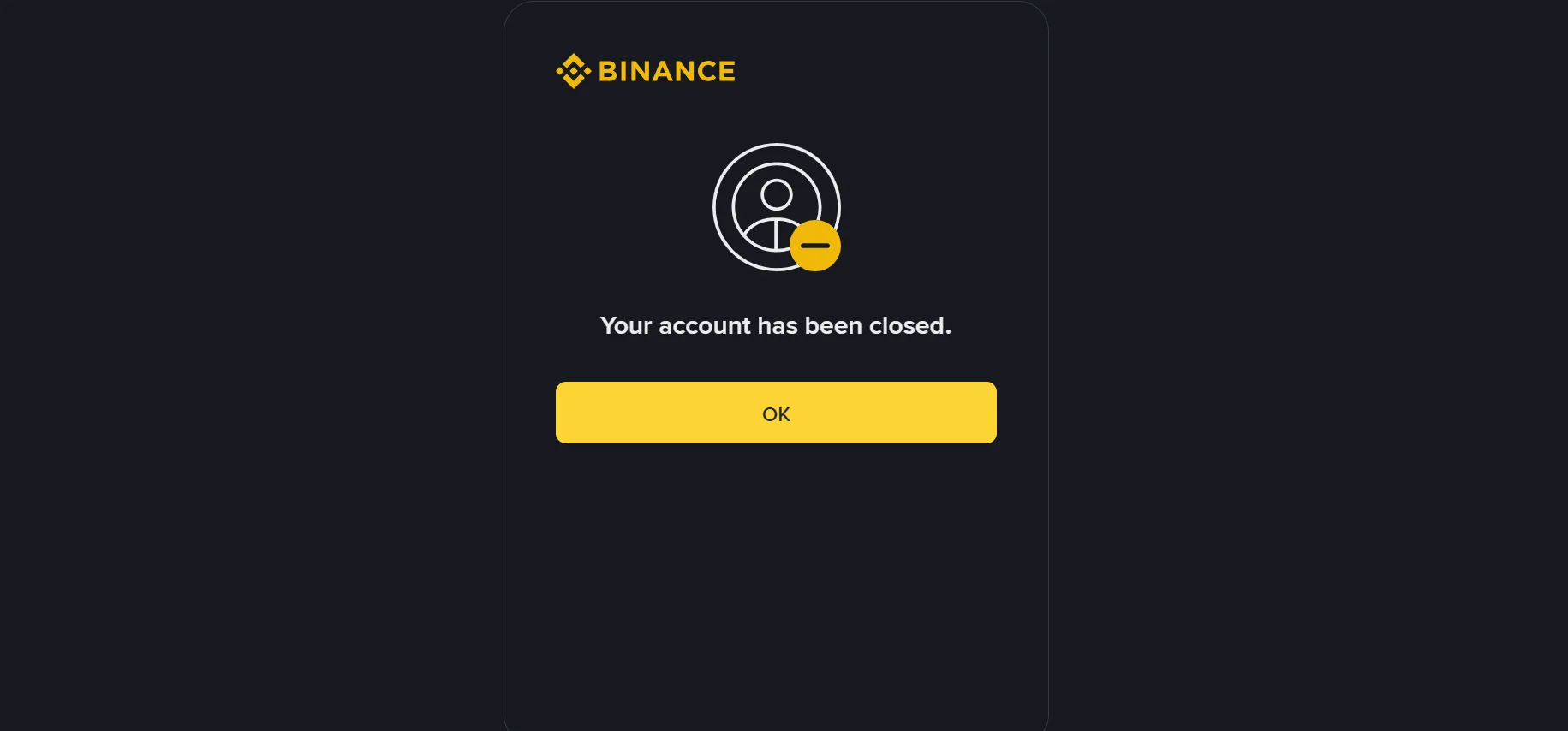
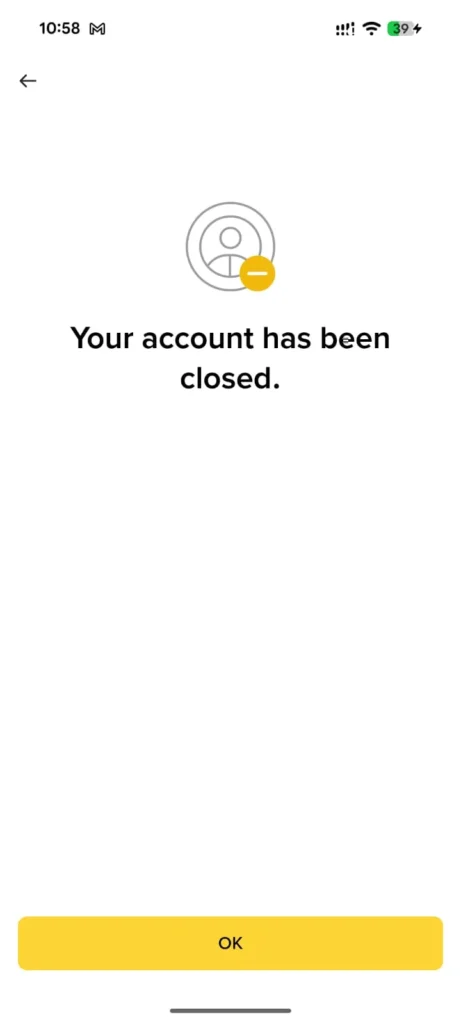
- Your account is closed — tap OK to finish.
Alternatives Way To Delete Your Binance Account:
Via Email Request
Send a deletion request directly to support@binance.com from your registered email address. Include your User ID, reason for closure, and a request to permanently close your account. Binance support will guide you through the verification process.
Via Binance Live Chat Support
Log in to your account, tap Help & Support, and start a live chat. Request account closure directly from a support agent — useful if you’re facing issues with the in-app closure flow.
Via Binance Support Ticket
Visit support.binance.com and submit a formal support ticket under the account management category. Attach any required identity documents if prompted for verification.
Deactivate Binance Account
On web:
- Log in to your Binance account.
- Click on the profile icon at your top right corner.
- Now click on the Account>Security option from the left sidebar.
-
Scroll down to the bottom of the page, where you will find the “Disable Account” option.
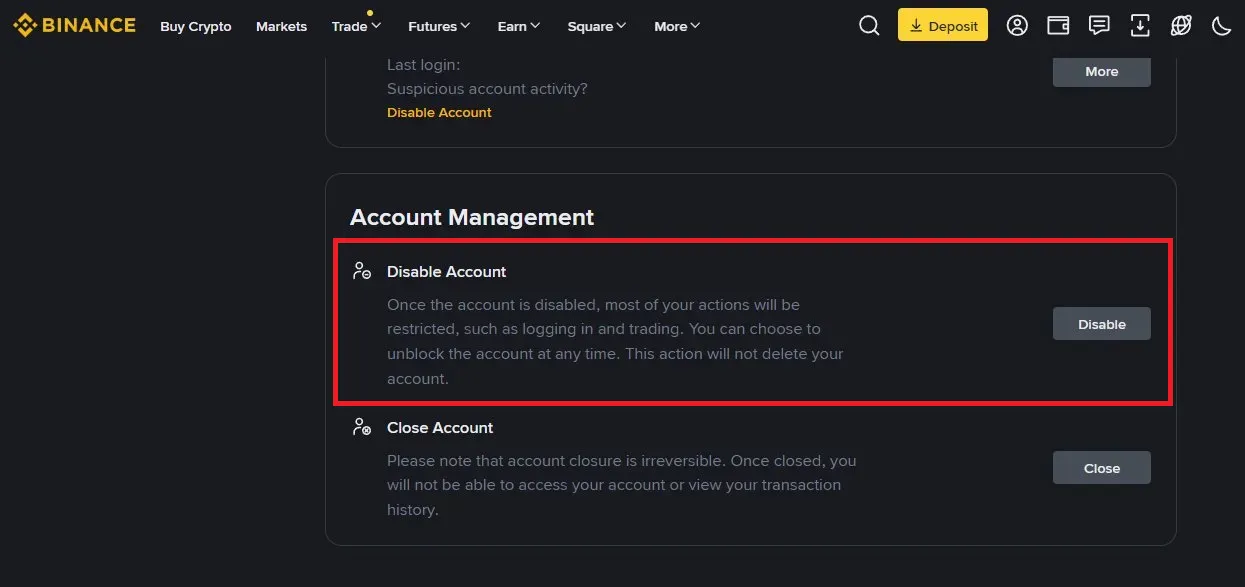
- Confirm account disable request.
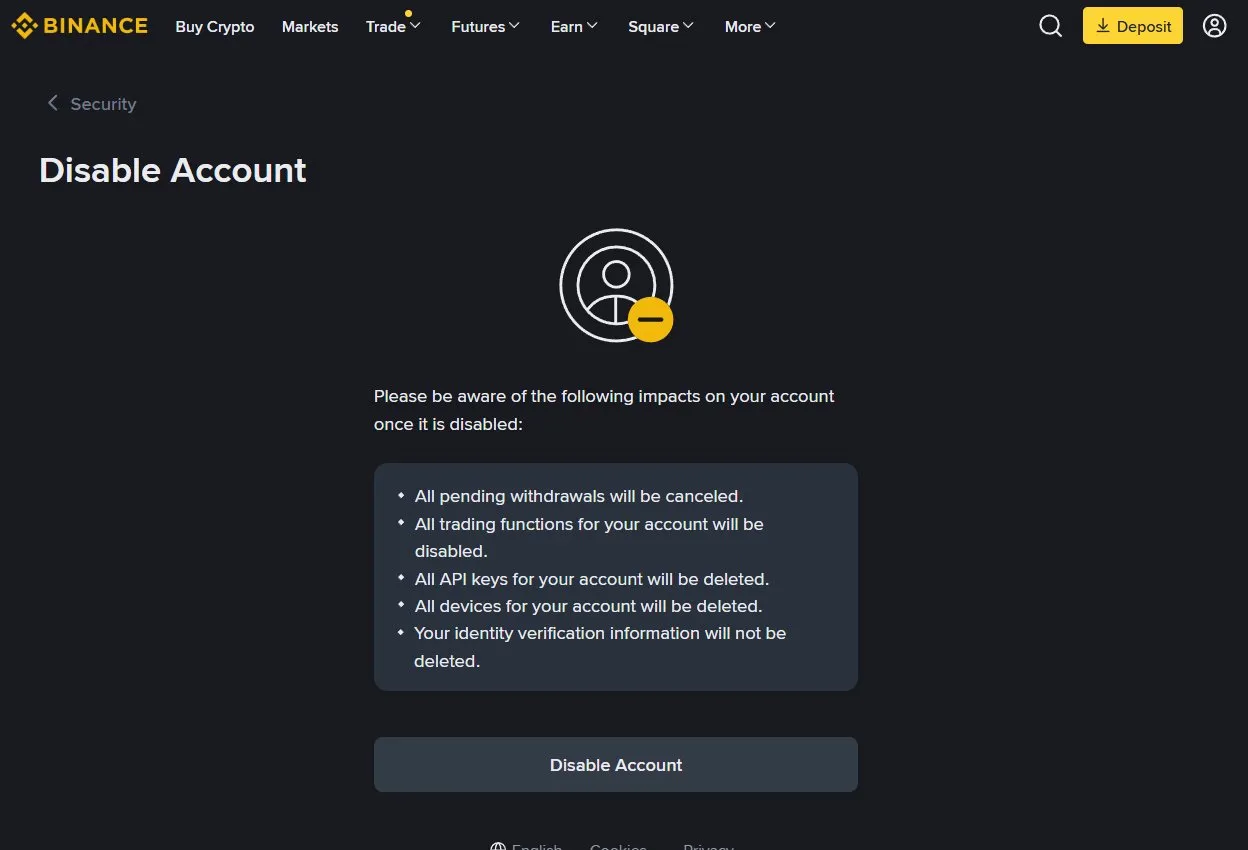
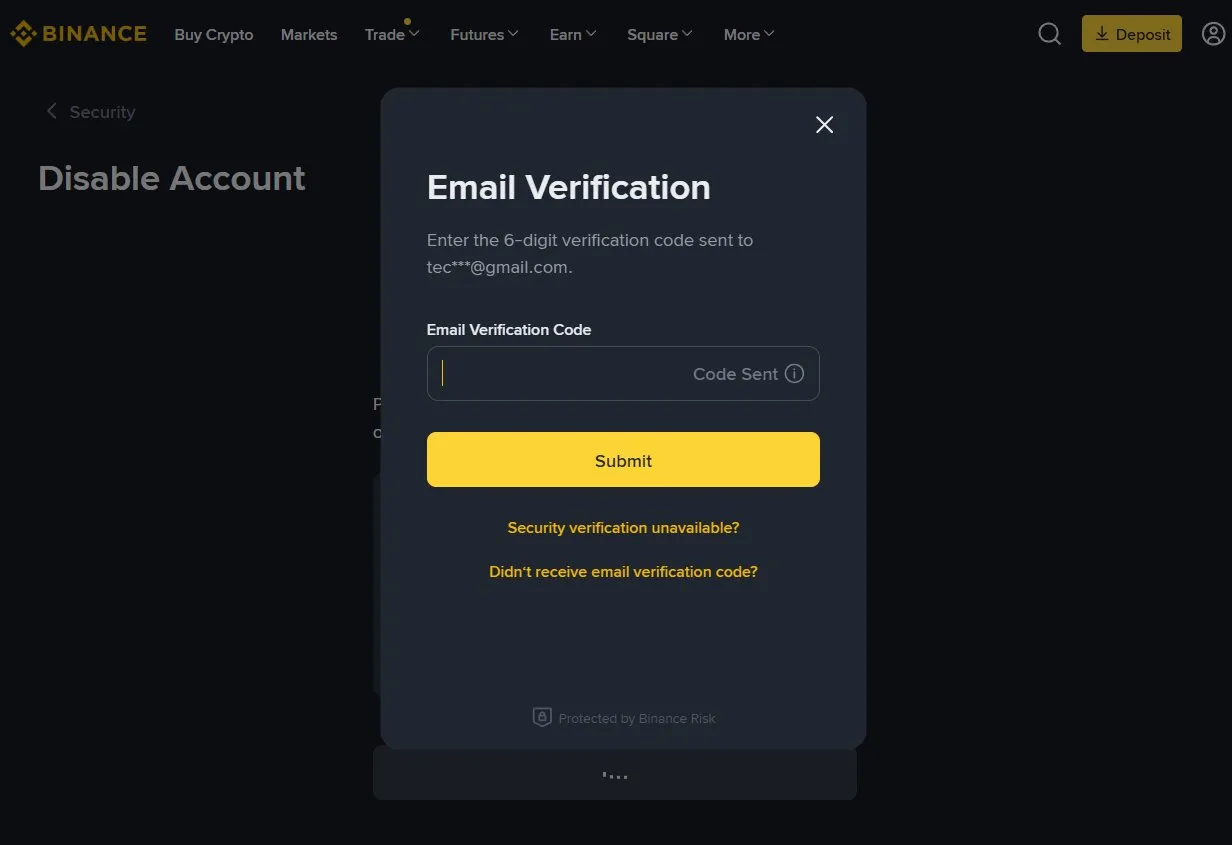
- Confirm account disable request through otp on your email.
- Your account is disabled successfully.
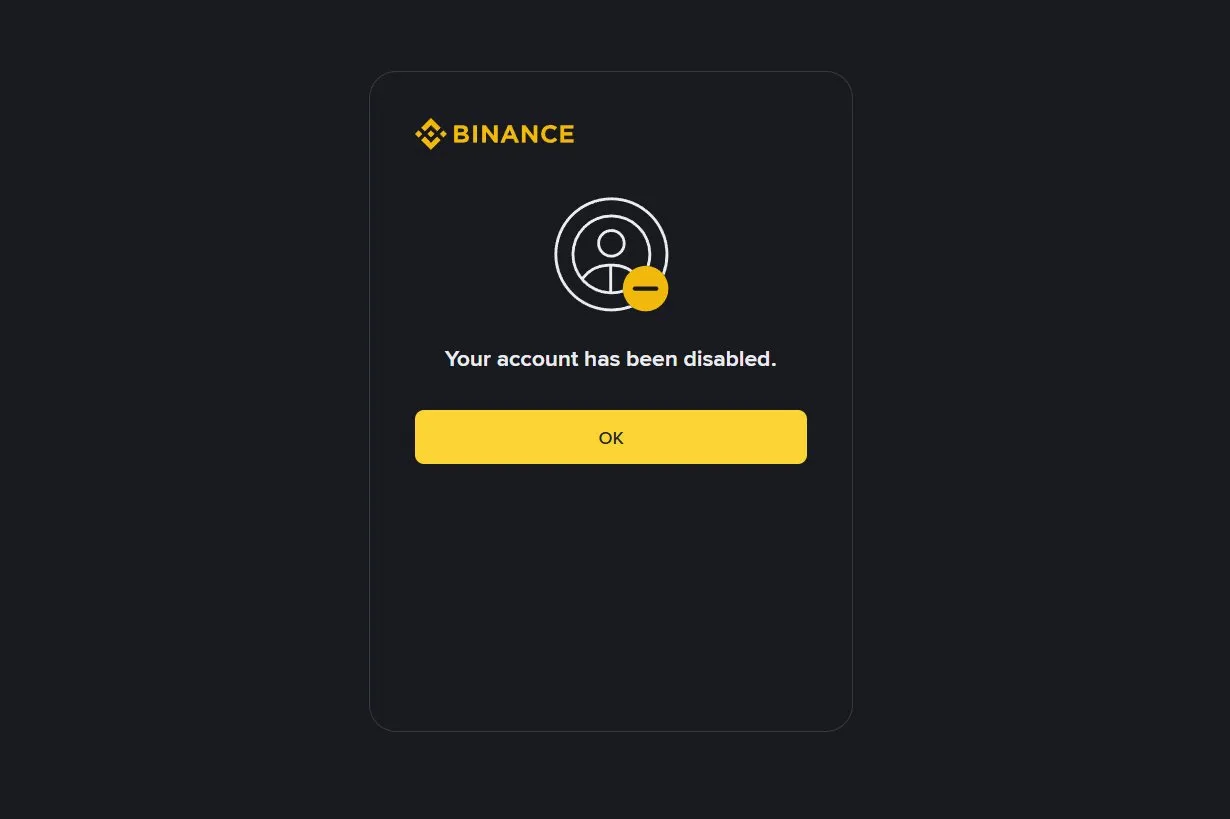
On mobile:
- Open the Menu Tap the hamburger icon (☰) at the top-left of the Binance home screen.
- Tap the shield/security icon at the top-right of your profile page.
- Open Settings Scroll down to the bottom of Settings and tap Privacy Center.
- Select Close Account Inside Privacy Center, tap Close Account under the Personal Data section.
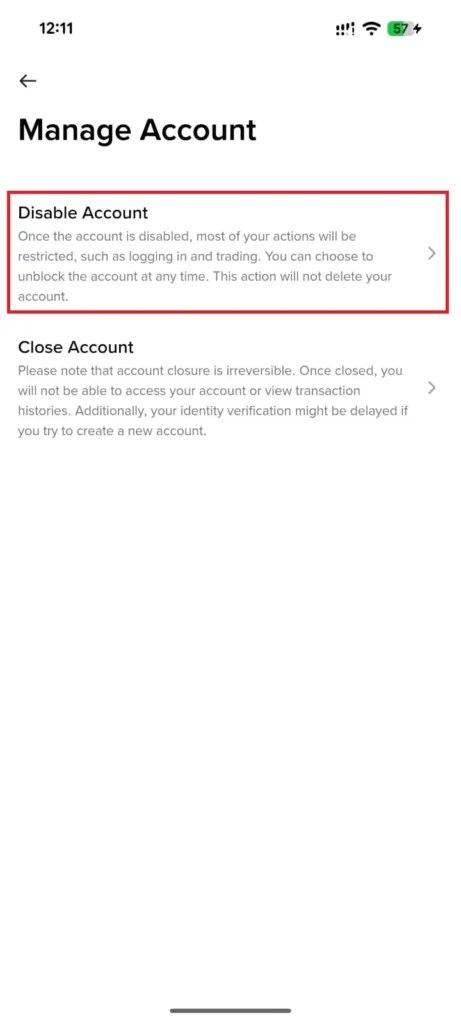
- Confirm account disable request.
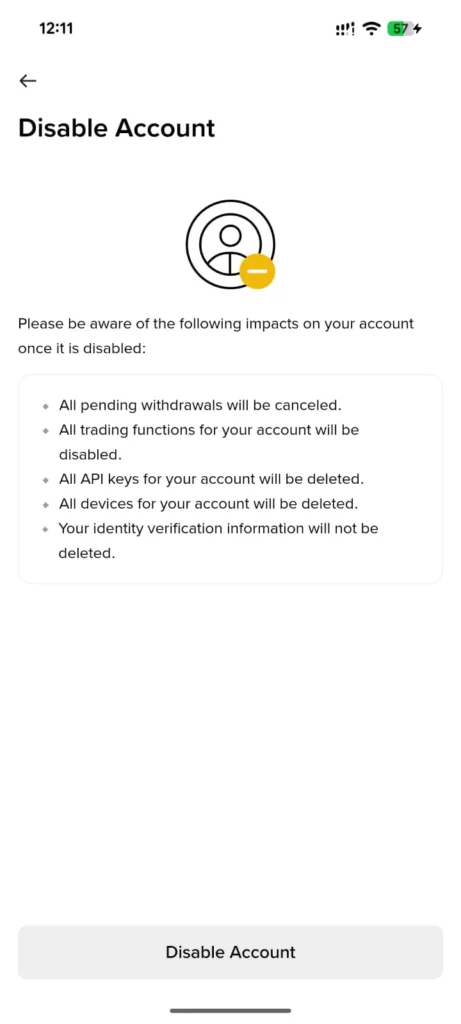
- Confirm account disable request through otp on your email.
- Your account is disabled successfully.
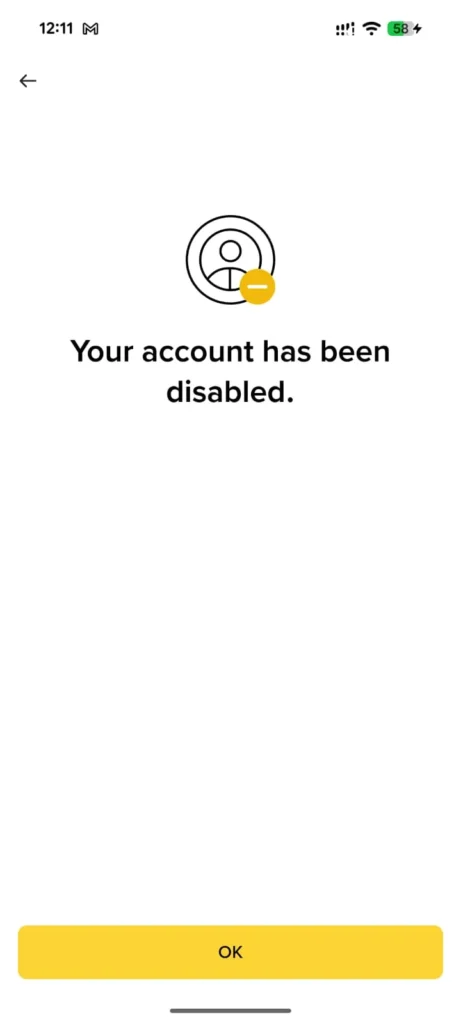
Restore Account Incase Of Change Of Mind
You cannot restore an account that has been permanently deleted. Deactivation is reversible, but you must go through identity verification. After reactivation, monitor your account activity and secure your credentials immediately.
Conclusion
Managing your Binance account—whether you’re actively trading, taking a break, or closing it for good—requires careful thought and clear action. Binance offers flexible options like temporary deactivation for added security, permanent deletion for those stepping away from crypto, and specific procedures for handling accounts of deceased family members. Before making any decision, it’s important to understand the implications, ensure all funds are withdrawn, and keep records of your transactions. Whether you’re protecting your assets, maintaining digital hygiene, or honoring a loved one’s legacy, this guide is here to help you navigate the process with clarity and confidence.