
Thinking about deleting your HelloTalk account? Whether you’re moving to a new language-learning platform, concerned about privacy, or simply ready to take a break, knowing how to properly delete your HelloTalk account is important. HelloTalk is a popular app designed to connect language learners around the world through text, voice, and video conversations. While it’s a helpful tool for many, some users eventually decide to part ways for personal or technical reasons. This Techy Manual blog provides a clear, step-by-step guide to permanently deleting your HelloTalk account, along with essential background information and practical tips to ensure you don’t leave any loose ends behind.
Things To Consider Before Deleting Your HelloTalk Account
- Loss of Chat History: All your messages and conversations will be permanently erased.
- Deleted Profile: Your profile, including photos, bio, and language learning progress, will be removed.
- No Recovery Option: Once deleted, your account cannot be restored.
Subscription Status: Make sure to cancel any active subscriptions through the App Store or Google Play to avoid future charges. - Data Backup: Export or save any important information before deletion.
Language Partners: Notify any active language partners or friends before deleting your account. - Alternative Options: Consider logging out or deactivating your account temporarily instead of permanent deletion.
What Happens When I Delete My Account?
- Permanent Data Removal: Your account information, chat history, and profile details are permanently deleted from HelloTalk’s servers.
- Loss of Access: You will no longer be able to log in or use the account with the same email or phone number.
- Disconnection from Friends: All your language partners and followers will be removed, and they won’t be able to contact you through HelloTalk.
- Subscription Continuity (if not canceled): Deleting the account does not automatically cancel any paid subscriptions—you must cancel those manually through your app store.
- No Undo Option: Once deletion is complete, there is no way to recover your data or restore your account.
Follow Step-By-Step Process To Delete HelloTalk Account
- Open your HelloTalk app on your phone.
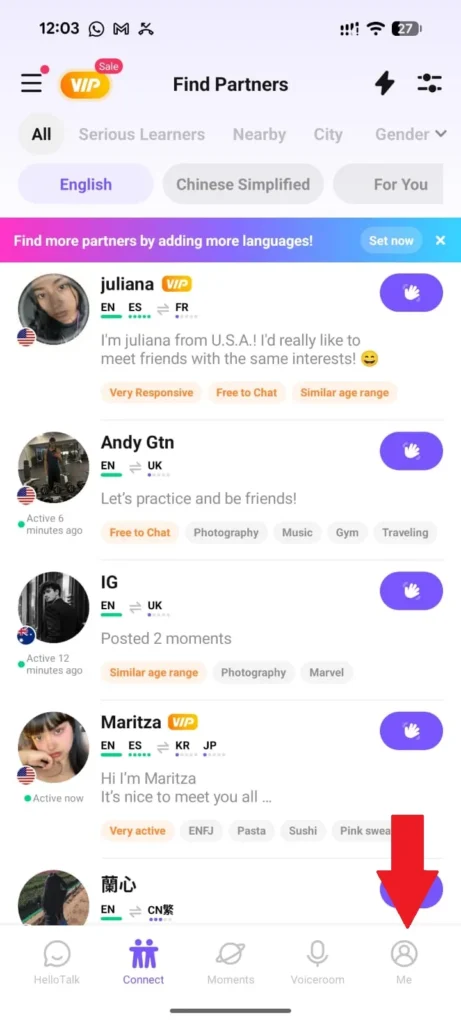
- Go to the profile at the left option of your screen.
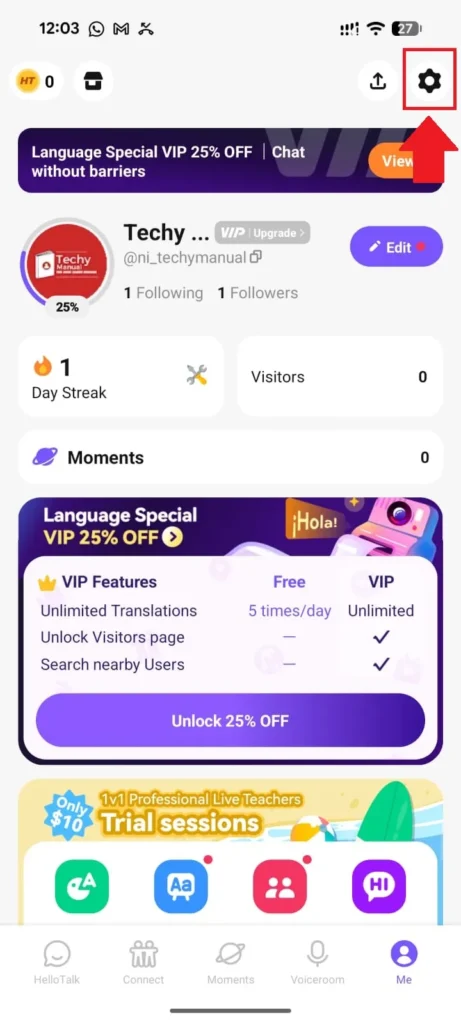
- where you need to tap on Settings.
- Click on Account.
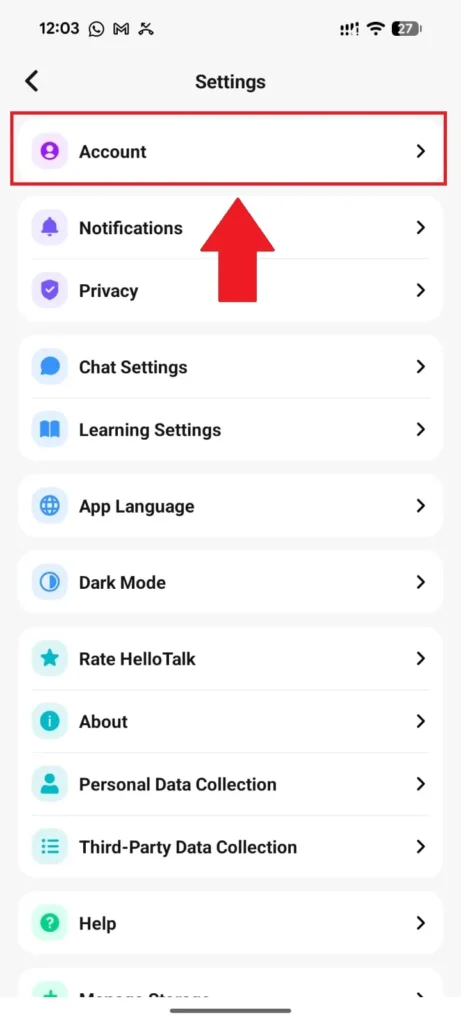
- Here is an option to directly delete a HelloTalk account.
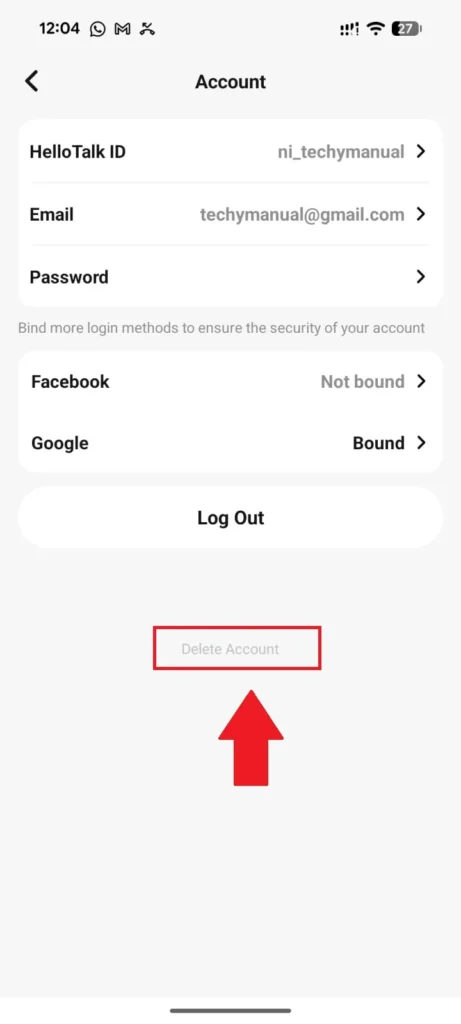
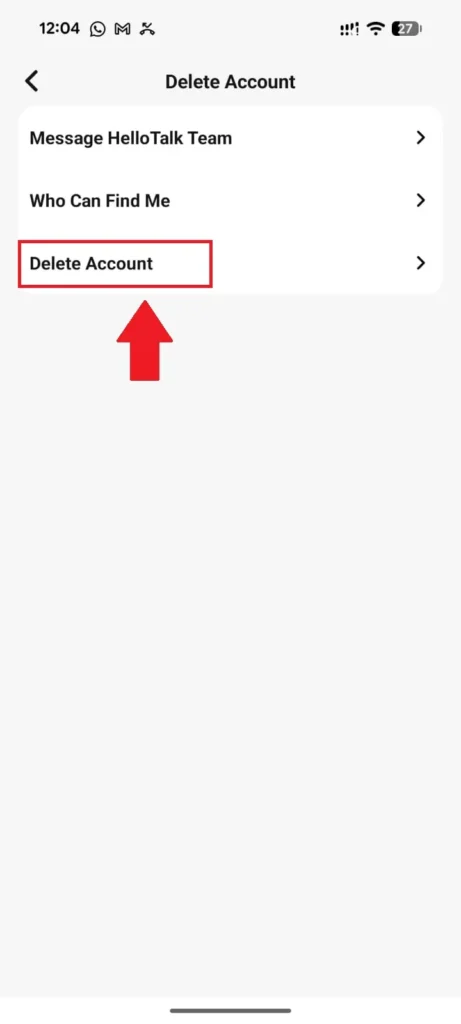
- Tap on Delete account option.
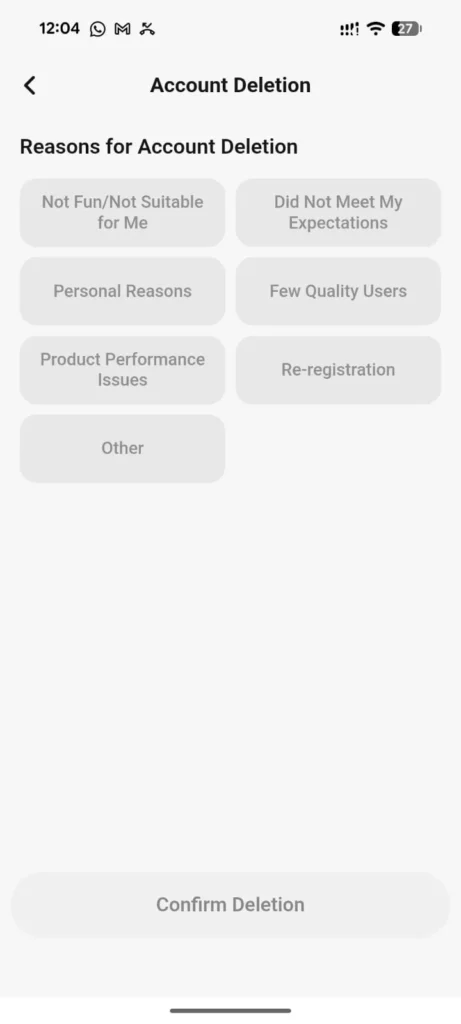
- Select the reason for deleting your account.
- Read the terms before proceed to delete your account and then click on Request deletion.
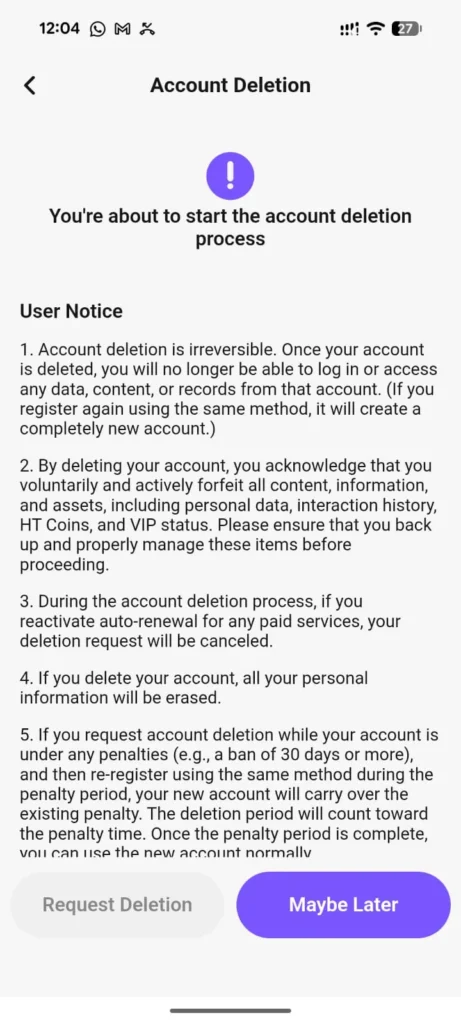
- Now tap to agree the terms of account deletion and confirm deletion.
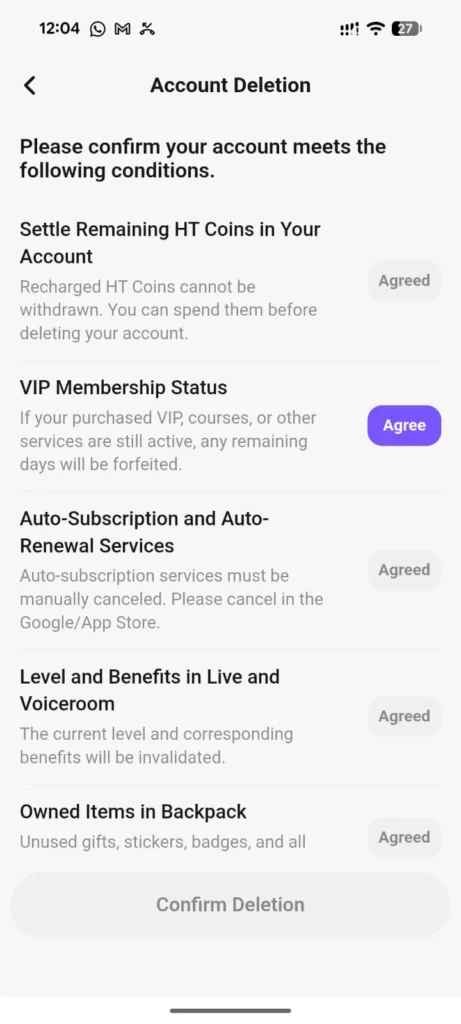
Alternative Way To Delete Hello Talk Account
If you can’t delete your HelloTalk account from the app, email support@hellotalk.com from your registered email and clearly request permanent account deletion, including your username, linked phone number (if any), and the email tied to the account so they can verify and process your request.
Deactivate HelloTalk Account
If you’re not ready to permanently delete your HelloTalk account but want to take a break, deactivating your account may be a better option. However, HelloTalk does not currently offer a built-in “deactivate” feature like some other platforms
Restore Account Incase Of Change Of Mind
Unfortunately, if your account was permanently deleted through the HelloTalk support team or settings, it cannot be recovered. HelloTalk deletes all associated data in compliance with privacy policies. You will need to create a new account using a different email or phone number.
Conclusion
In conclusion, whether you’re leaving HelloTalk for privacy reasons, shifting to a new platform, or simply taking a digital break, understanding how to properly delete your account ensures a smooth and secure exit. From considering what you’ll lose to handling special cases like a deceased family member’s account, this guide has walked you through each essential step. Always remember to back up any important information and cancel subscriptions beforehand. If you’re unsure about leaving for good, logging out or adjusting privacy settings may be a better temporary solution. Whatever your reason, this process empowers you to take full control of your digital presence.